
Overdue Task Email Digests
Enable daily overdue email digests (both advisor & student tasks)
Oct 28, 2026●
1
Navigate to https://app.achieveiec.com/settings
2
Check the box to begin receiving the digest emails.
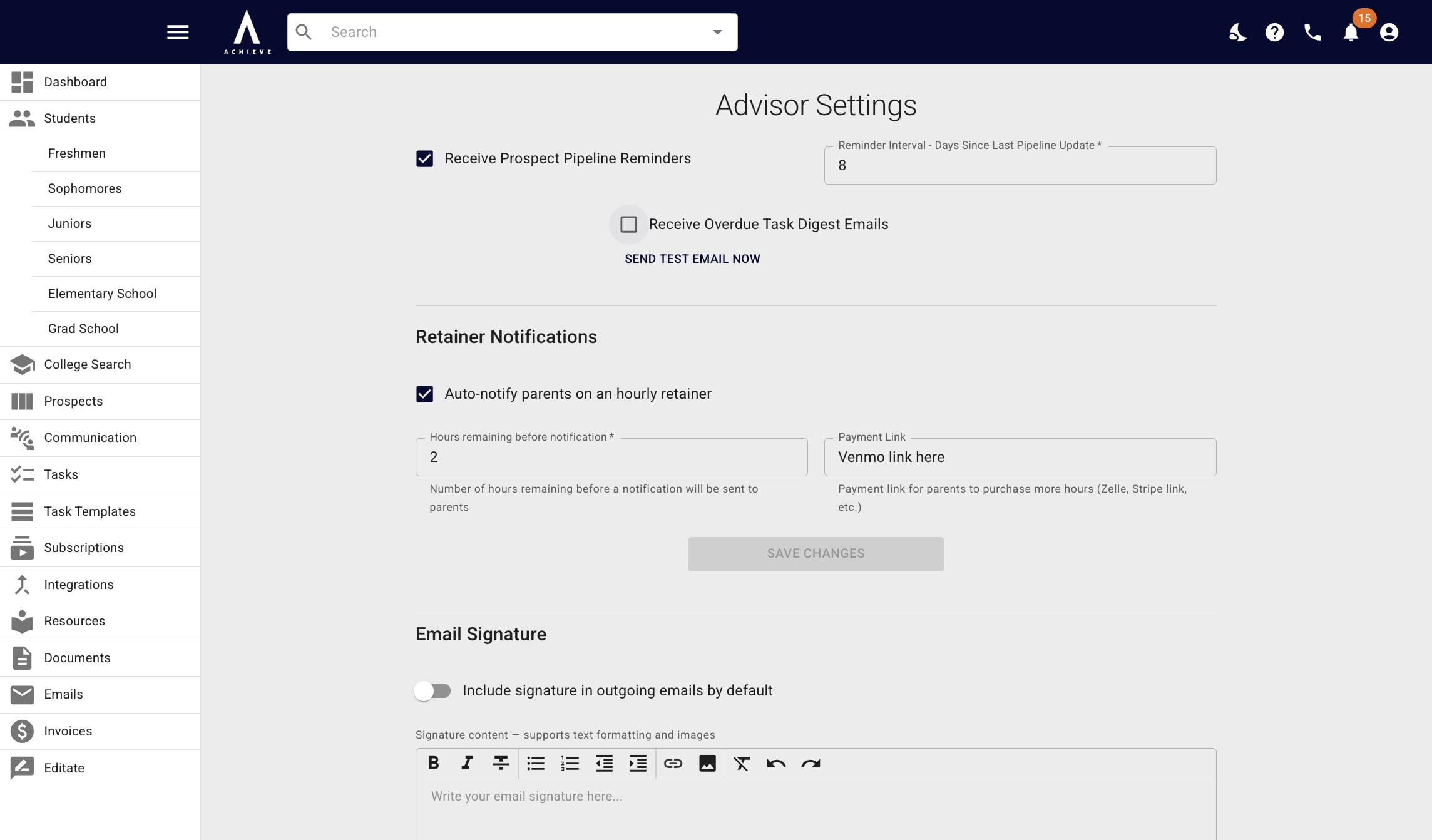
Once the box is checked, you'll receive the emails daily at 9amET.
3
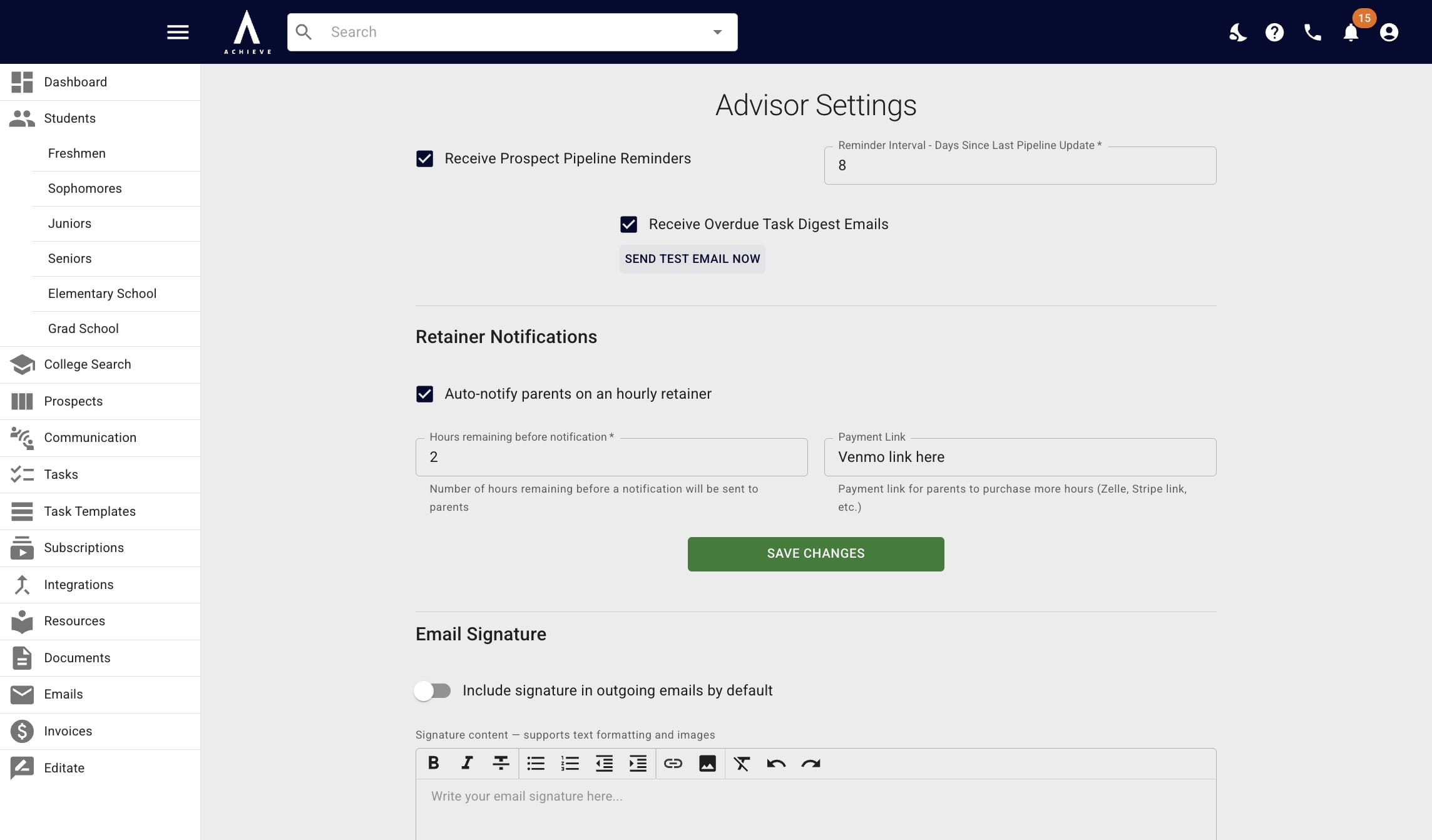
Click Send Test Email Now, if you want to receive a digest email immediately.
4
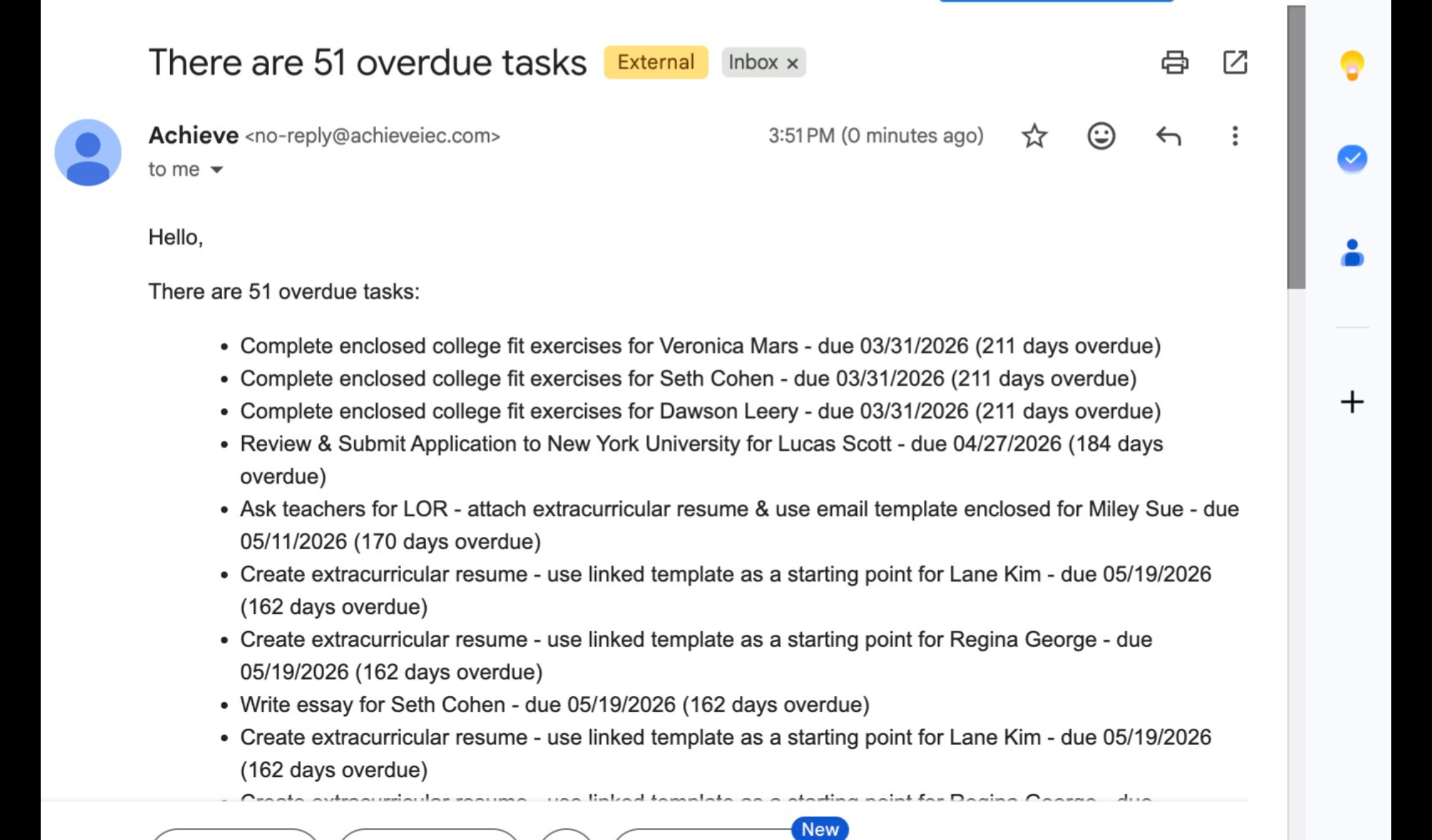
You'll then receive an email that looks like the one below.
5
At the bottom, is a link that will take you directly to the Tasks section of Achieve.
 section of Achieve.](https://assets.guidejar.com/uploads/185ab147-312c-4bbc-99a3-9864f39f9660/pCjSrW6u3CRcEKYWdNFi0r5jIXy2/dbaf8e30-58a1-4bc4-9608-496e54da5b69/1793218273872.jpeg)