
Expanded Invoices
A guide to Achieve's new expanded Stripe & non-Stripe invoices.
This is what Stripe invoice emails will look like coming from Achieve going forward. Once the recipient presses, click here to pay, it will take them to your existing Stripe checkout link.
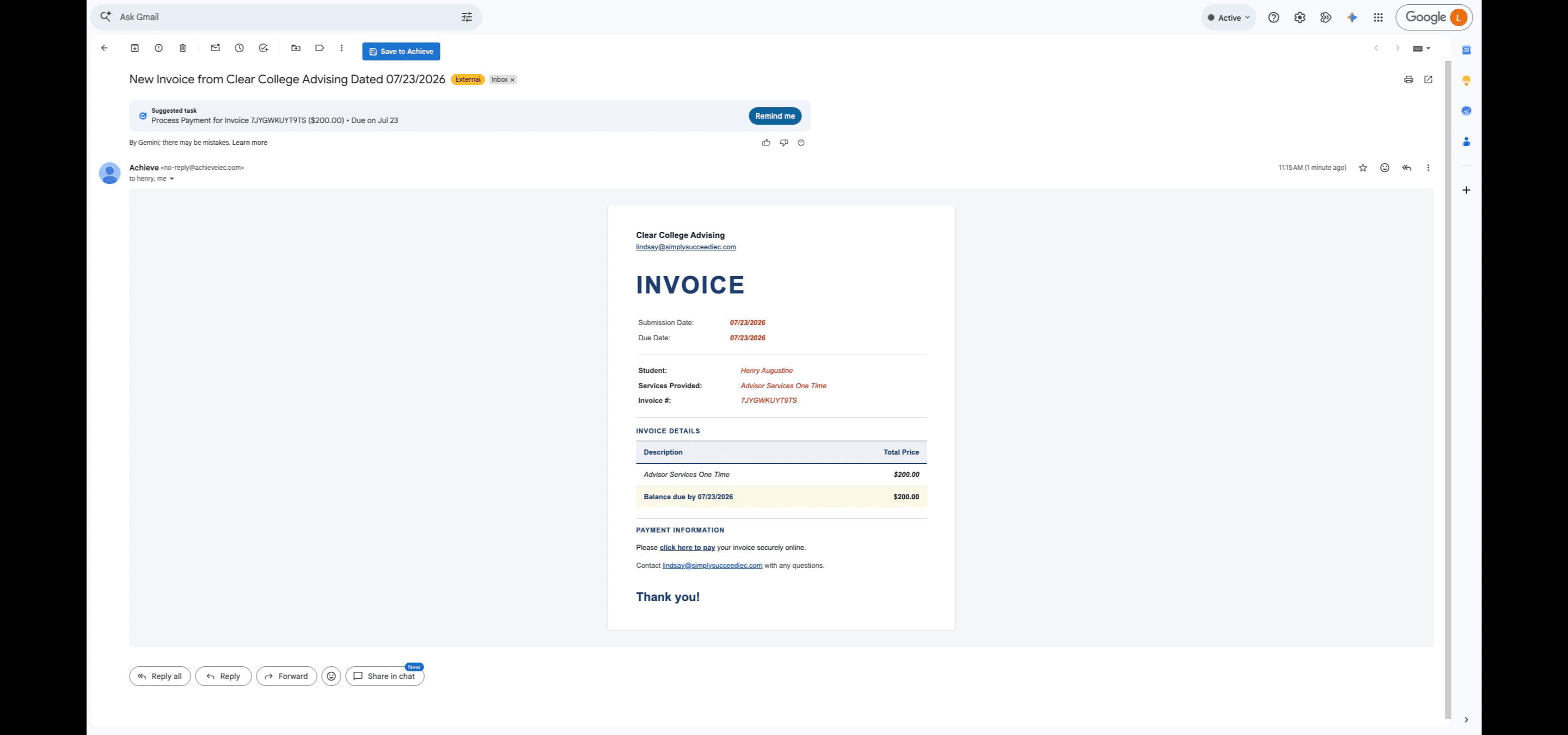
This is what invoice emails with white labeling will look like coming from Achieve going forward. The logo indicated below is taken from the White Label section of Achieve settings. Please complete this form if you'd like white labeling enabled for your account.
 if you'd like white labeling enabled for your account.](https://assets.guidejar.com/uploads/5e902f0b-e979-40ec-94cb-75bdd36ad34f/pCjSrW6u3CRcEKYWdNFi0r5jIXy2/86fe2a9e-1492-402b-9e7a-29b5f467e0d3/1784821366993.jpeg)
For non-Stripe invoices, you can add payment details under the Settings page of your Achieve account.
 page of your Achieve account.](https://assets.guidejar.com/uploads/5e902f0b-e979-40ec-94cb-75bdd36ad34f/pCjSrW6u3CRcEKYWdNFi0r5jIXy2/bf1f9a8d-a22d-455a-ba70-8b6321d2acfb/1784820152562.jpeg)
This is what a non-Stripe invoice from Achieve will look like going forward. The Services Provided is taken from the Description field of the charge and Payment Information is taken from your settings.
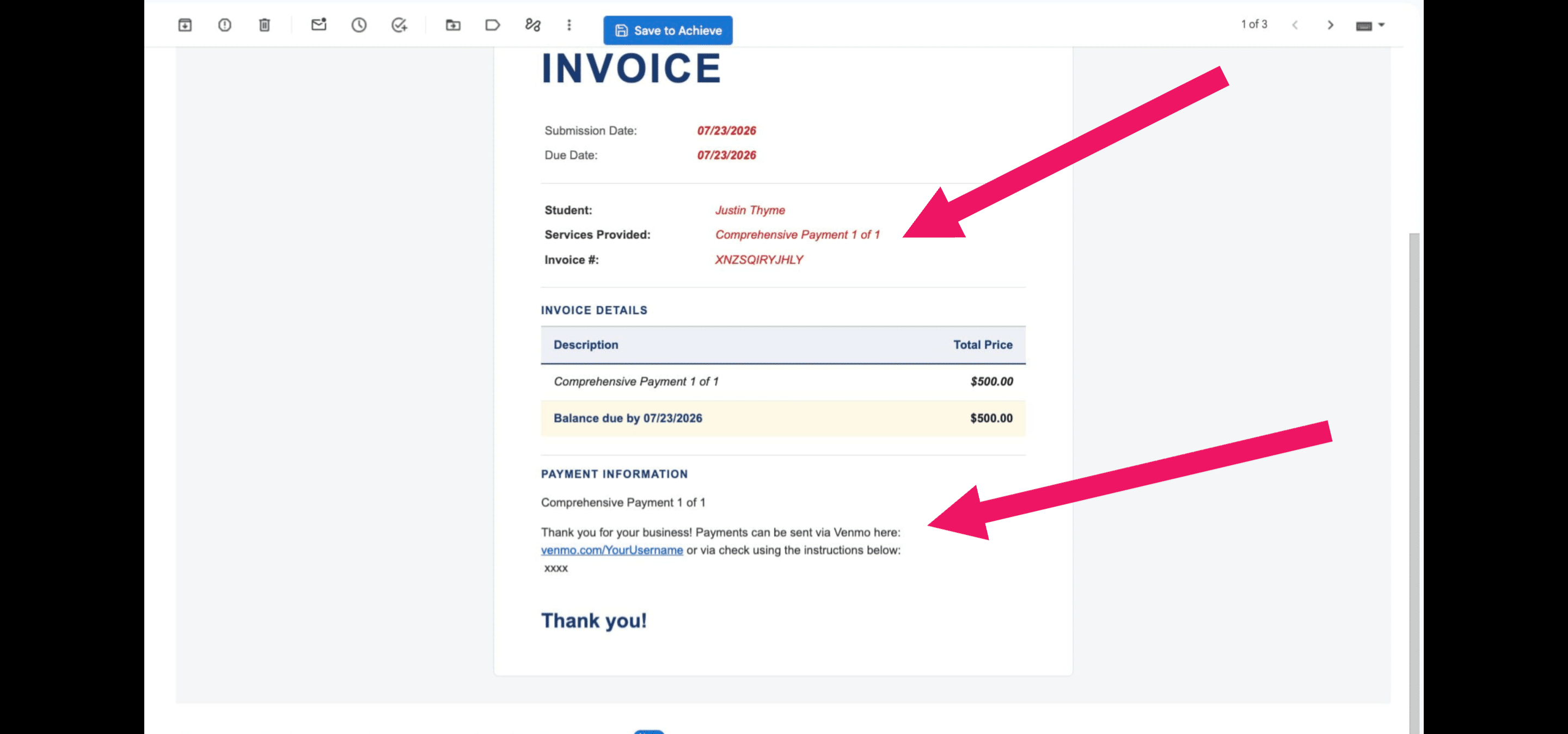
Non-Stripe invoices also come white labeled when applicable!
Done 🚀