
Adding a New Student Status Category
Learn how to add a new status column to the student tracker to represent additional stages (e.g., transfer or grad school) and ensure a new milestone tracker for ongoing progress tracking.
May 05, 2026●
1
Navigate to https://app.achieveiec.com/student-pipeline
2
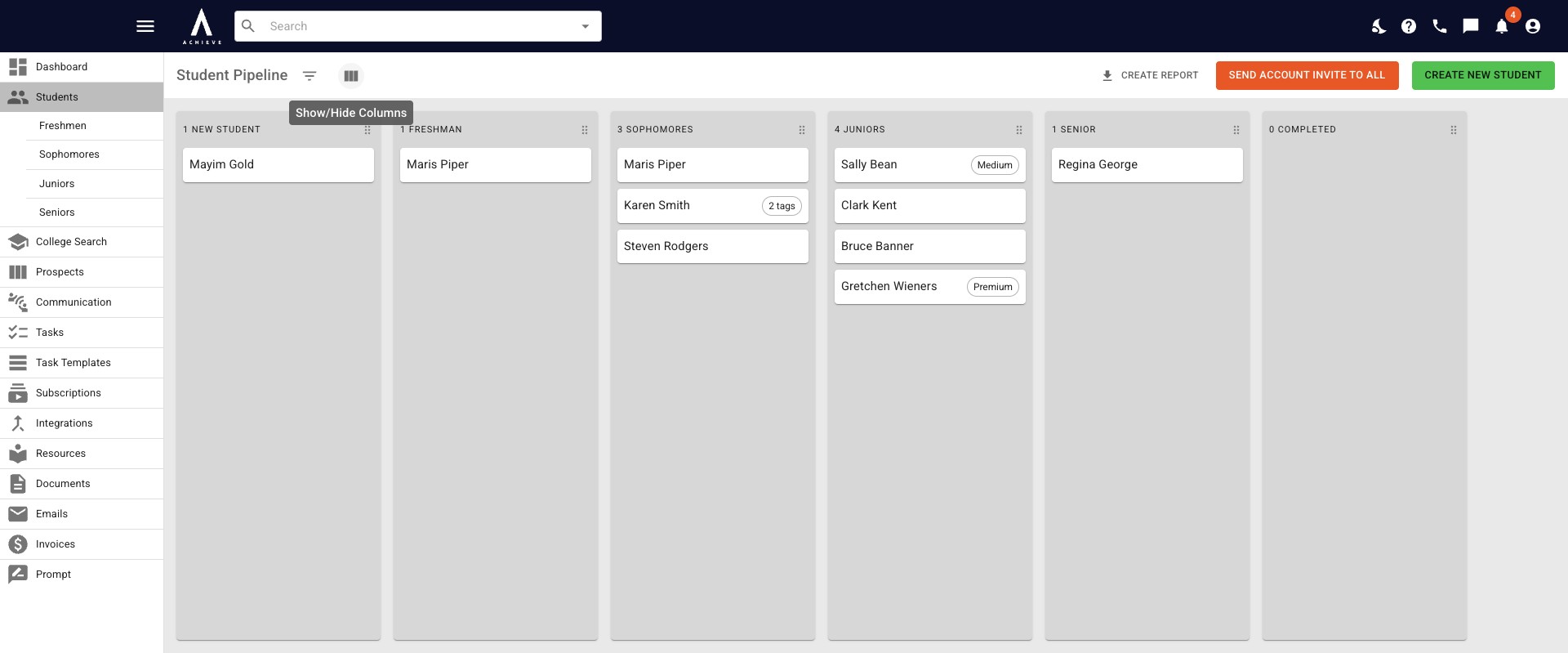
Click on the Columns icon and a drop-down menu will appear.
3
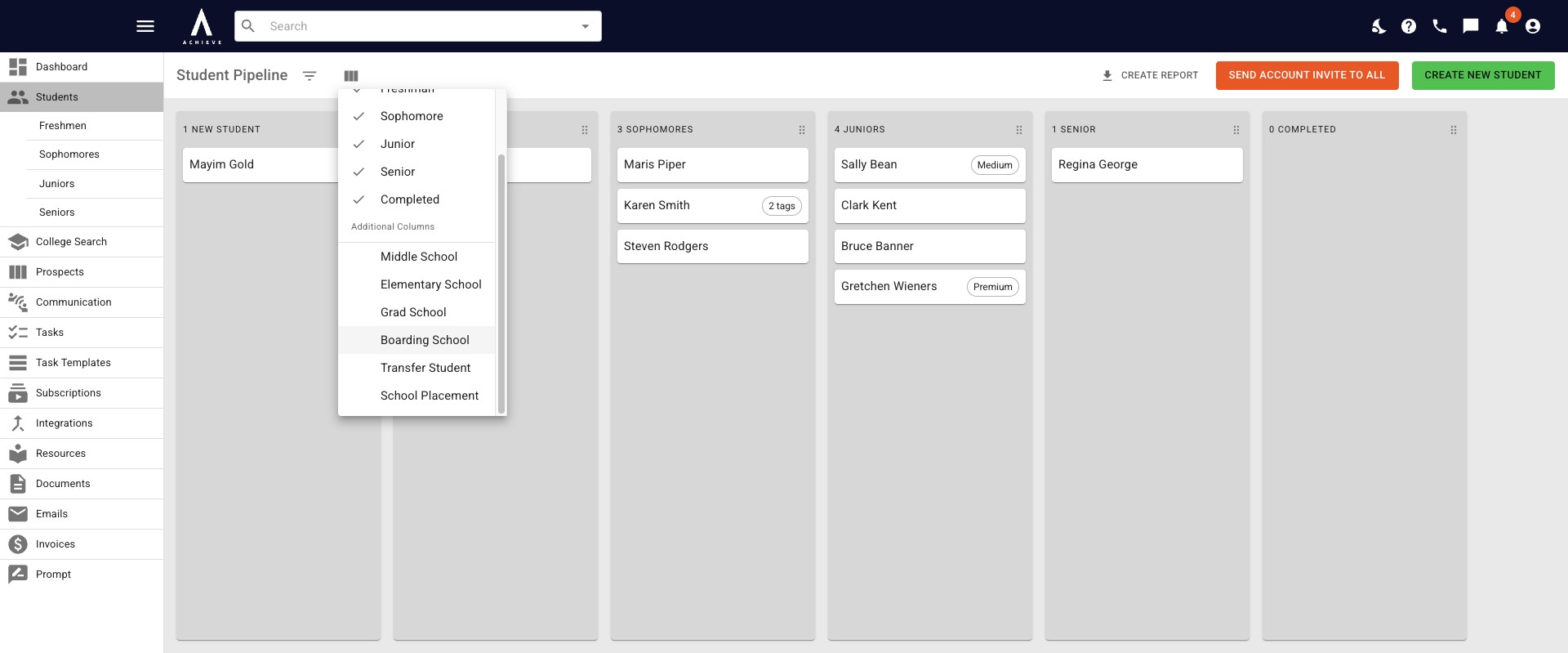
Click on the Column(s) you would like to add.
4
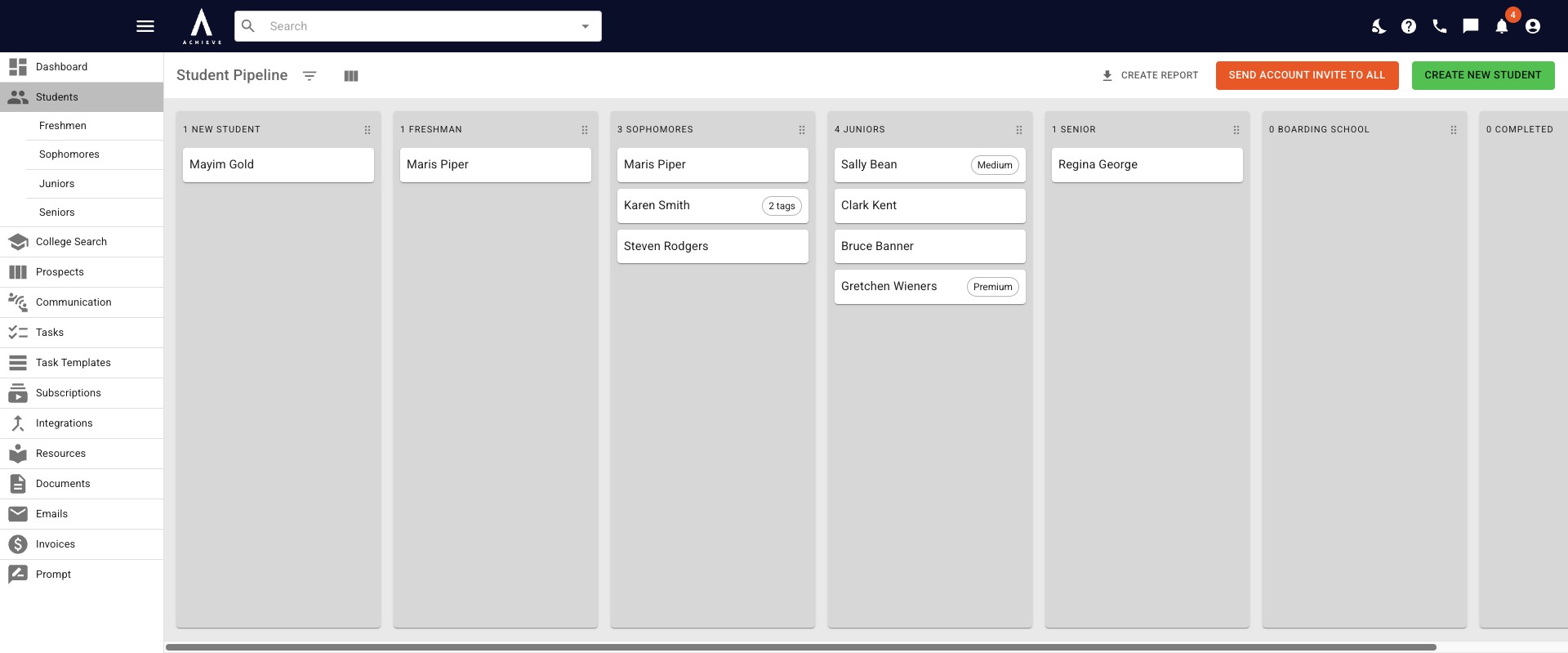
It will automatically be added to the Student Pipeline.
5
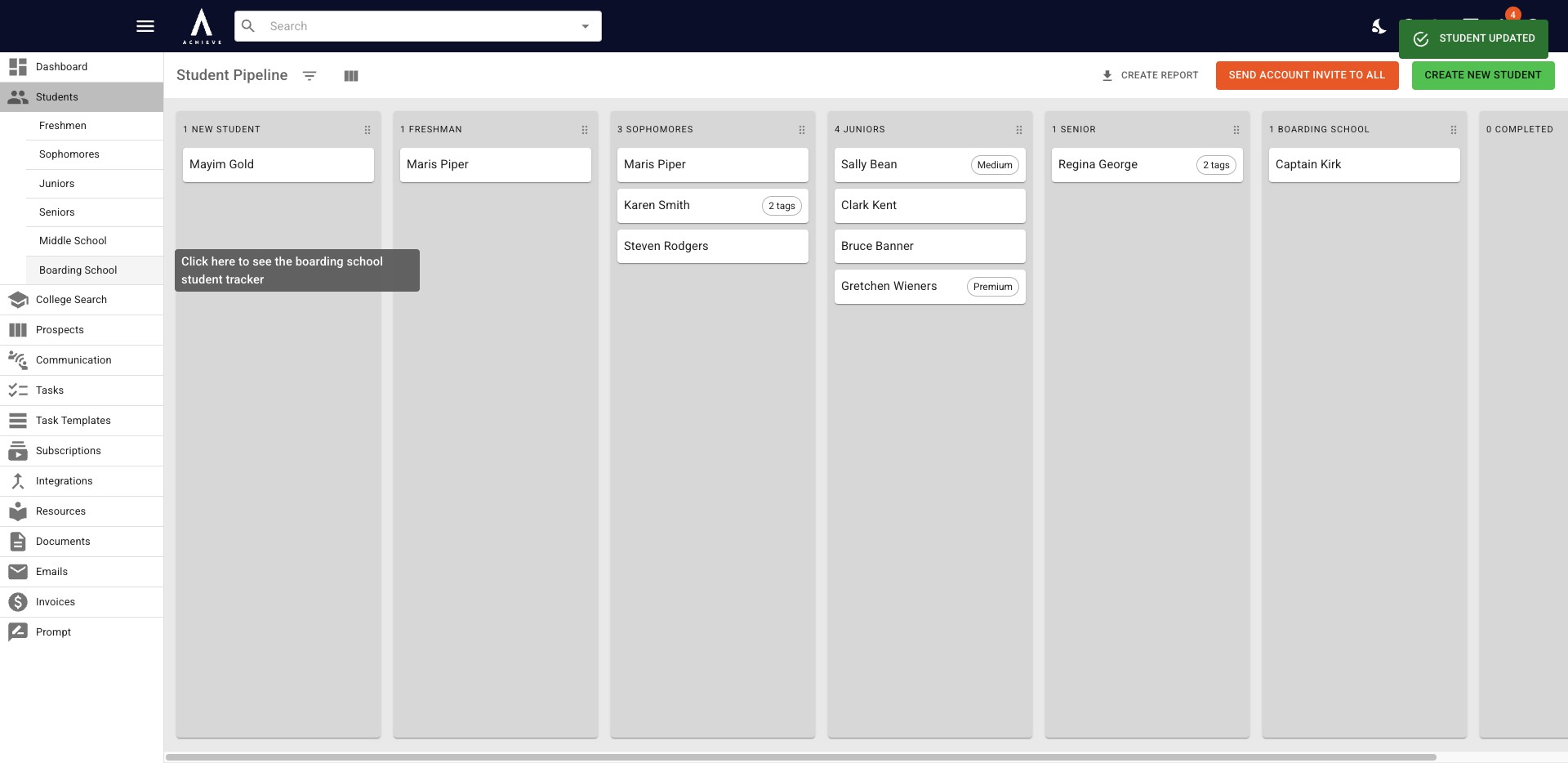
Once a student has been assigned that status category, a customizable tracker for that status will appear on the left-hand side.
6
Done 🚀