
Adding Additional Student Status Types
This guide shows how to categorize active students within the proper categories.
Apr 14, 2026●
1
Navigate to https://app.achieveiec.com/prospects
2
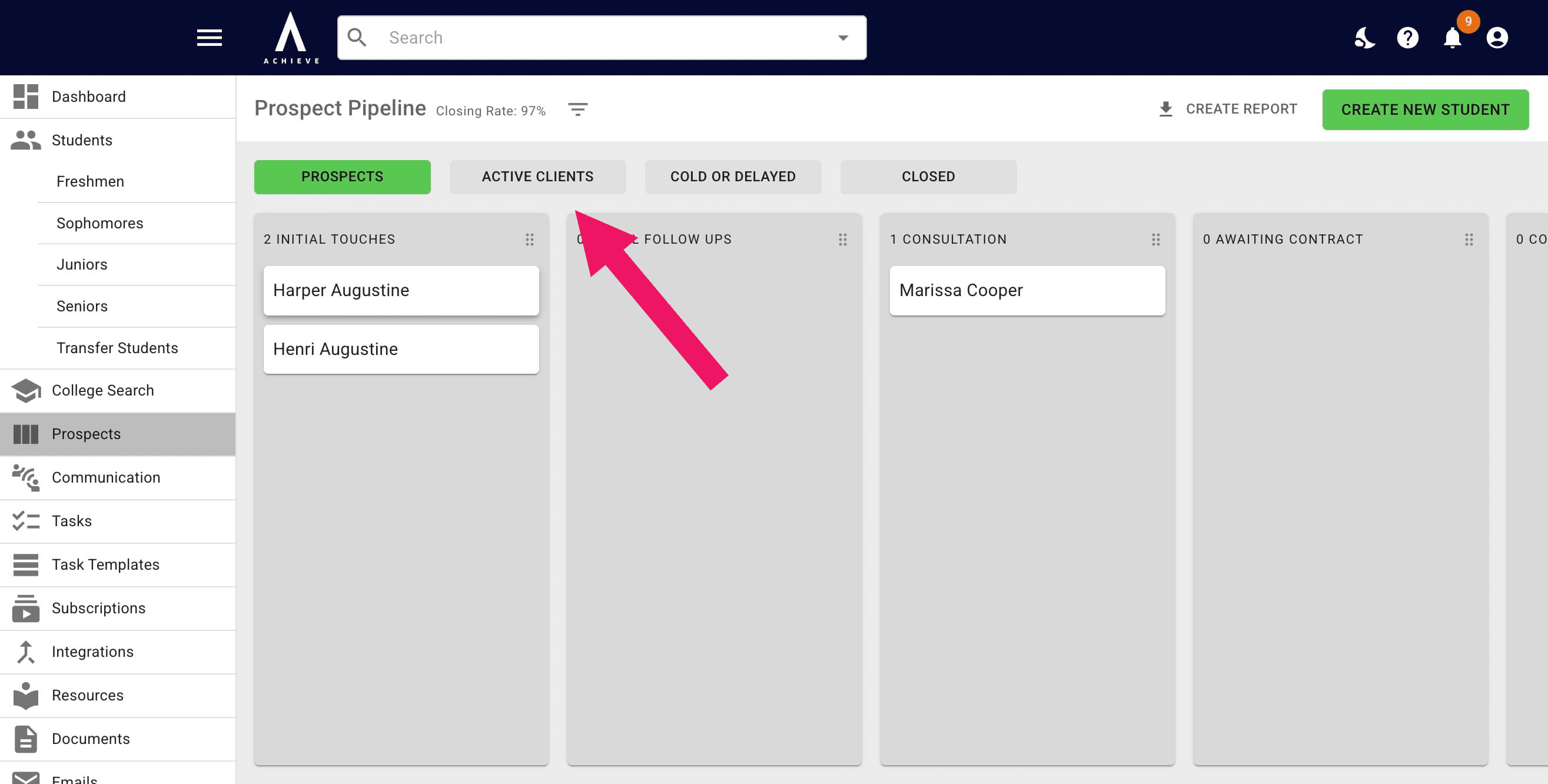
Drag and drop the student you're recategorizing to the Active Clients header
3
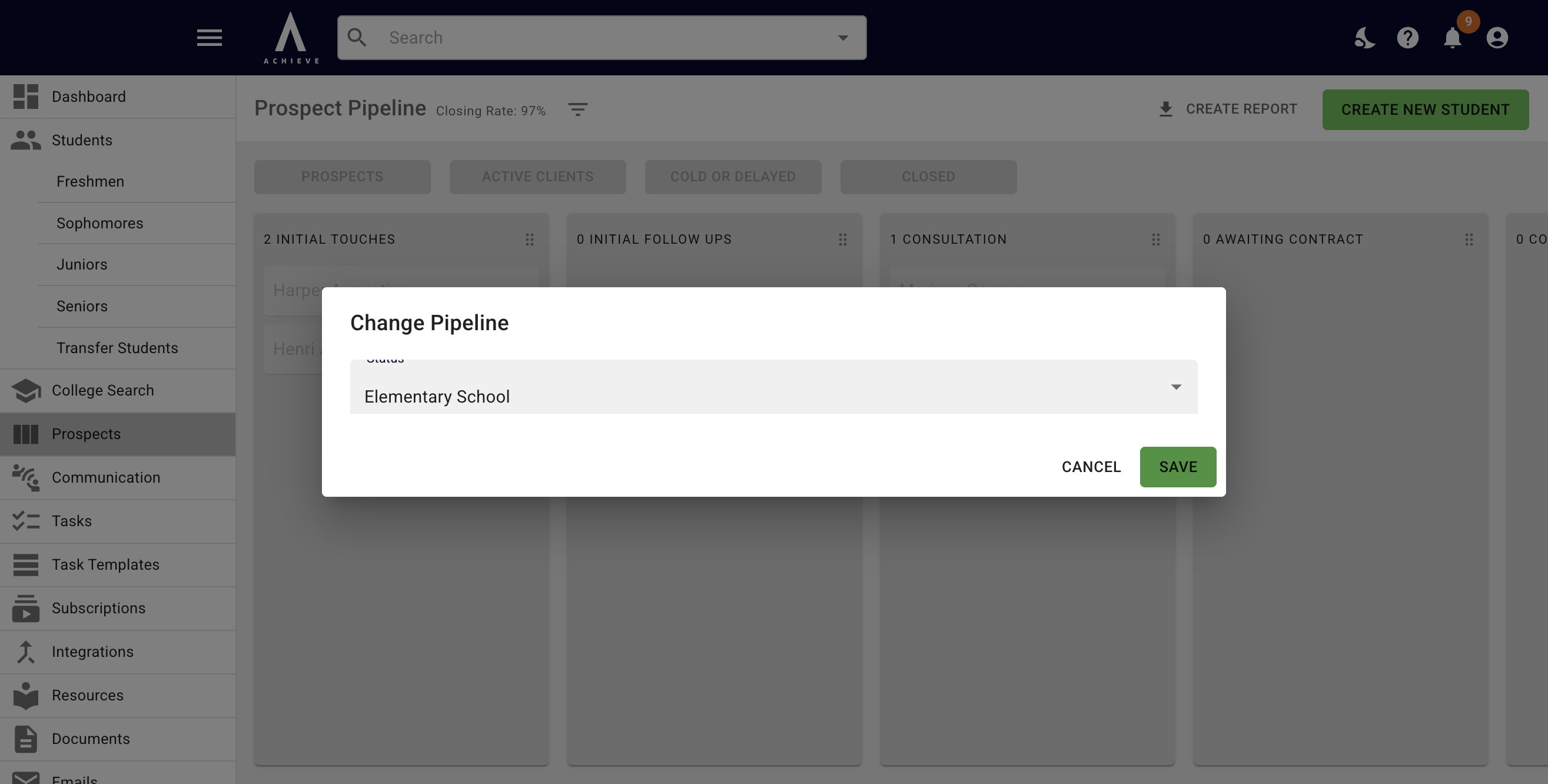
Select the Student Status category you would like assign & add to the student pipeline
4
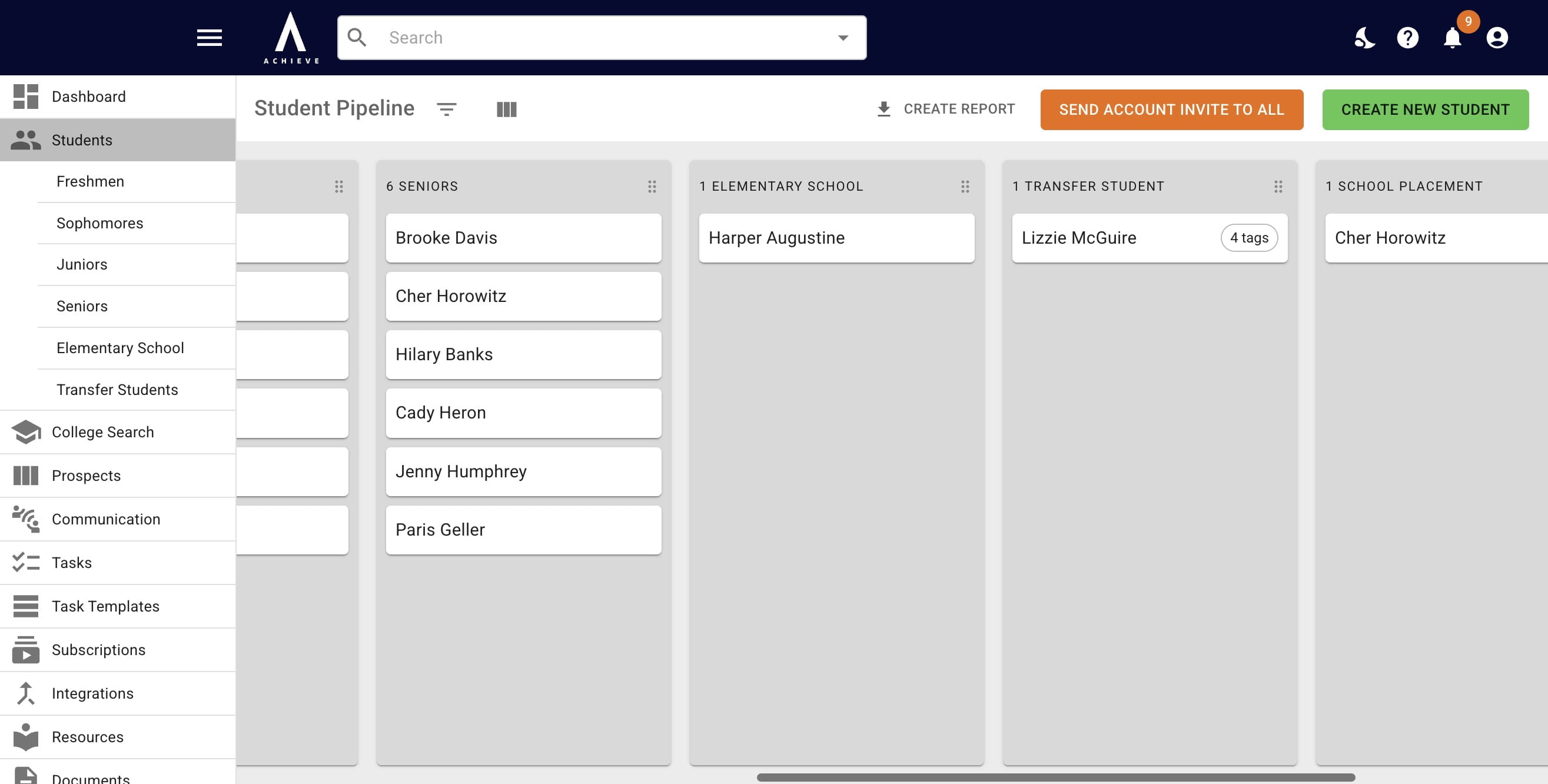
You'll now see the new category as a column on the Student Pipeline
5
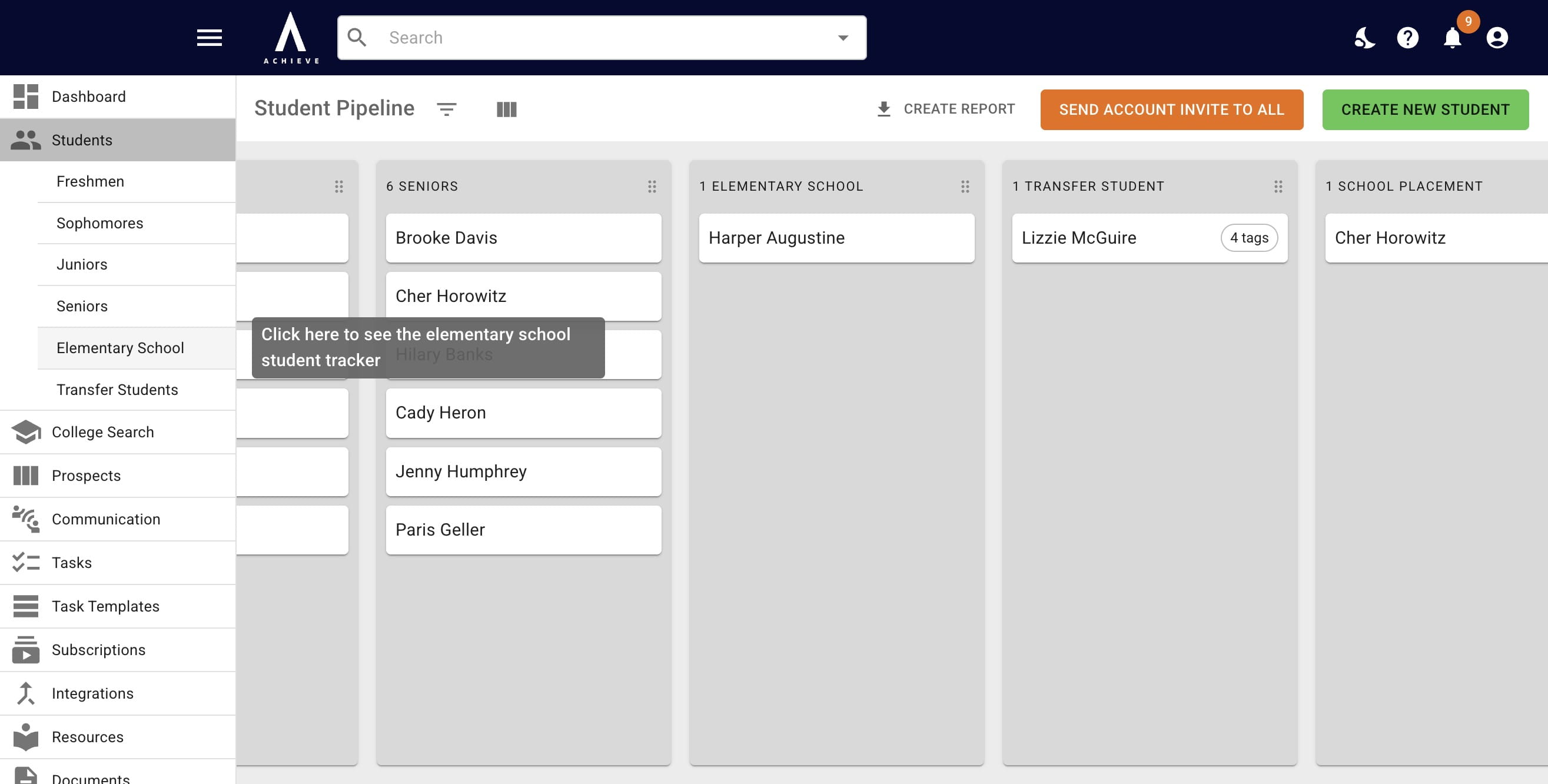
You'll also see a new customizable milestone tracker on the left-hand side for that new category
6
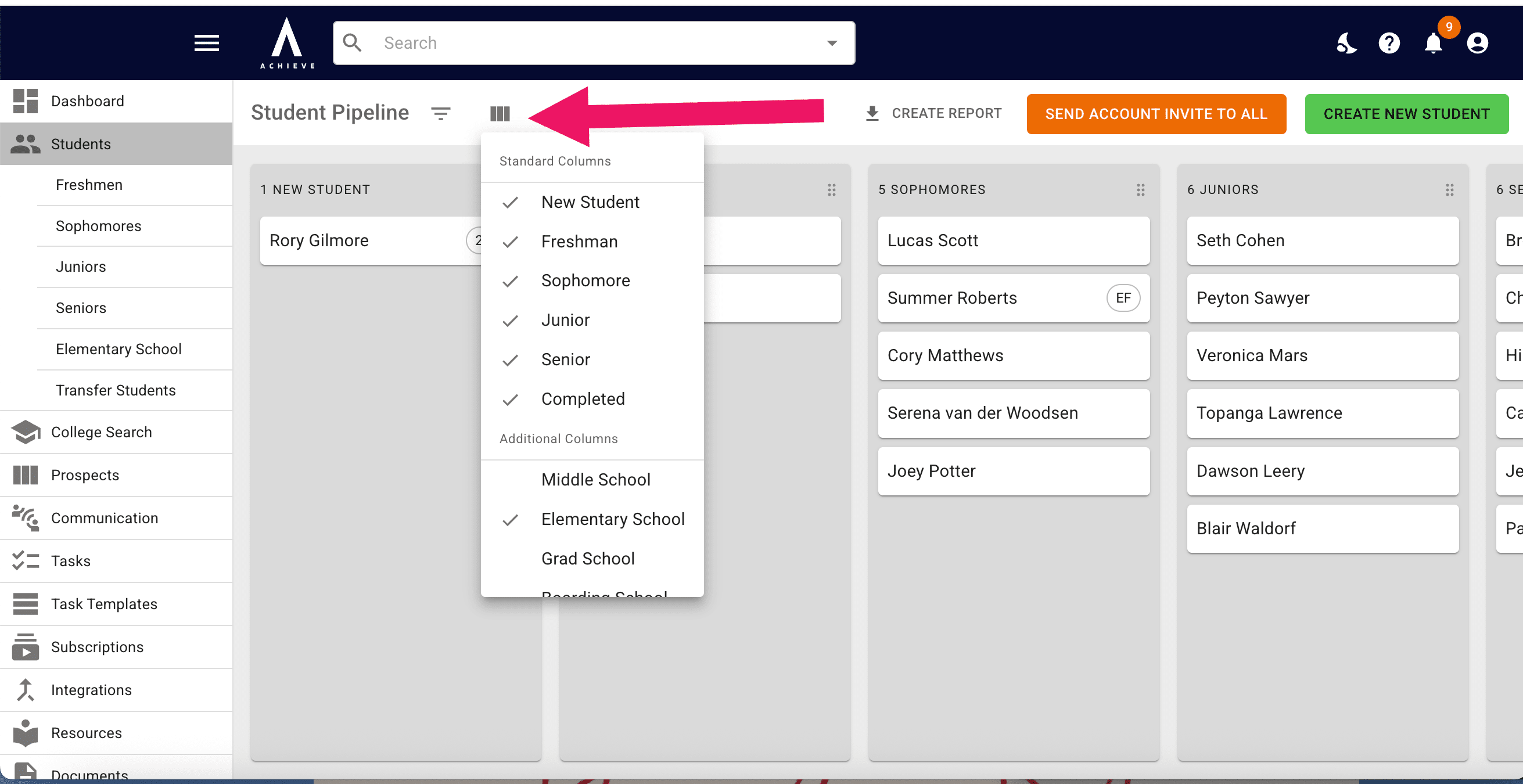
You can also select the Column icon to select and de-select status columns as needed
7
Done 🚀