
Assigning AchieveWorks Assessments
Overview of enabling AchieveWorks for a student, including locating the feature in a student's profile, purchasing assessments, and accessing results once completed.
Navigate to https://app.achieveiec.com/
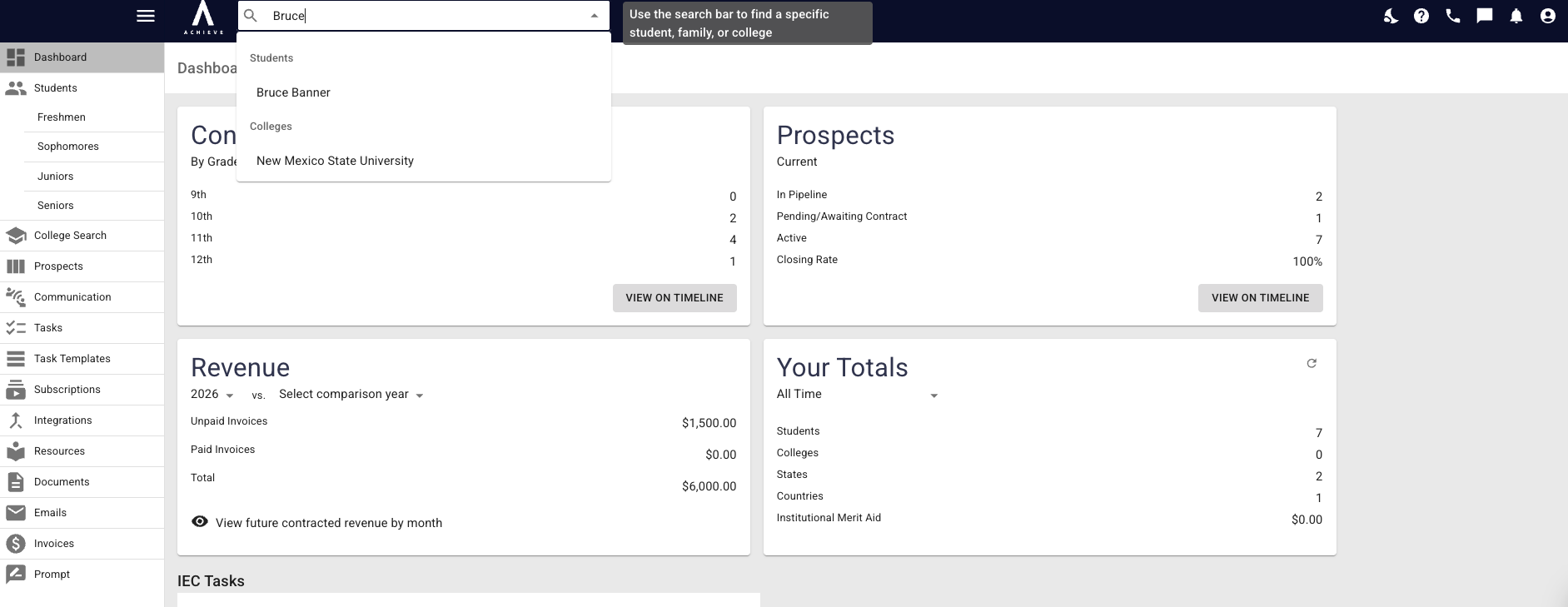
Open up the Student you want to activate AchieveWorks.
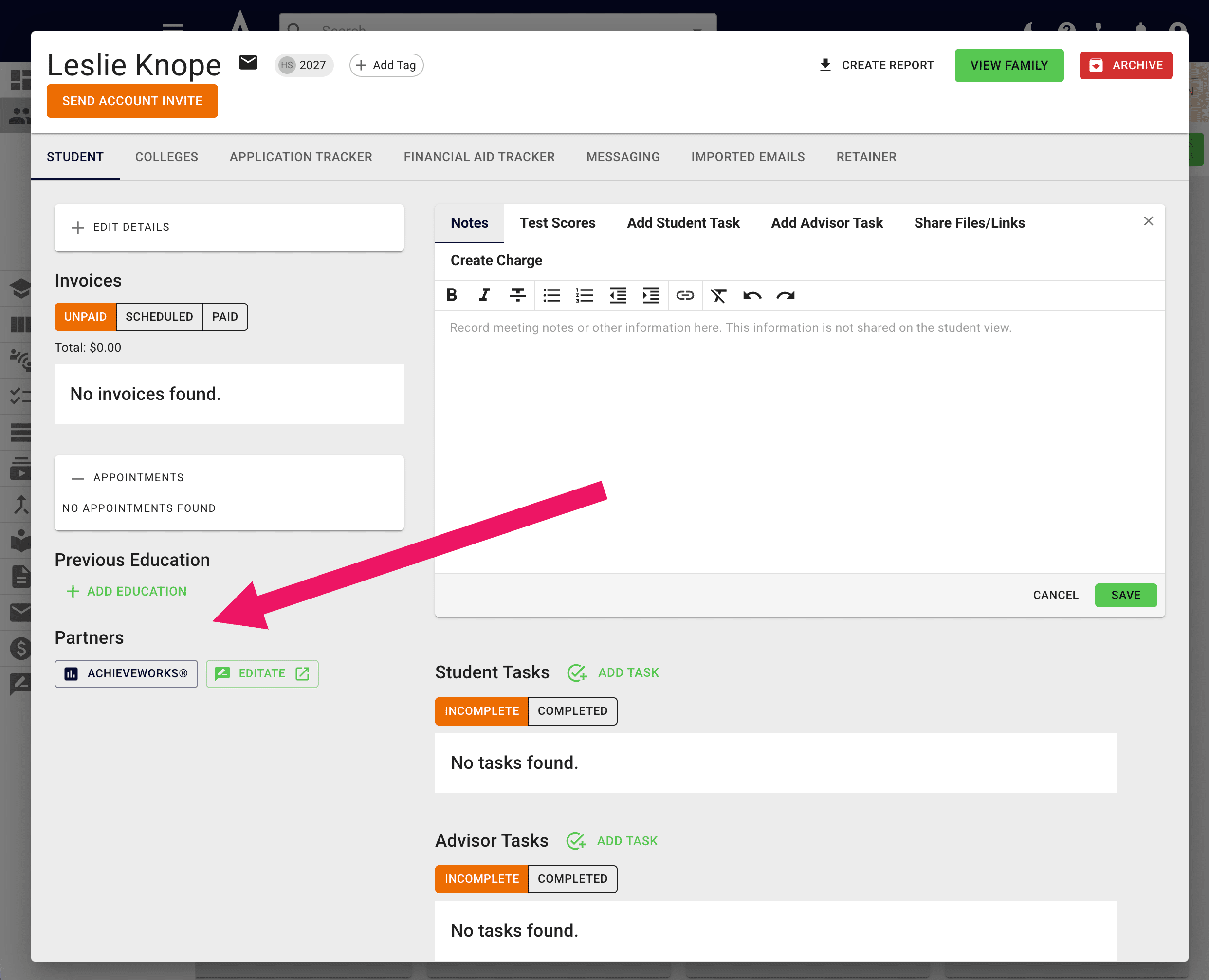
Scroll down until you locate Partners on the bottom left-hand side and click on AchieveWorks
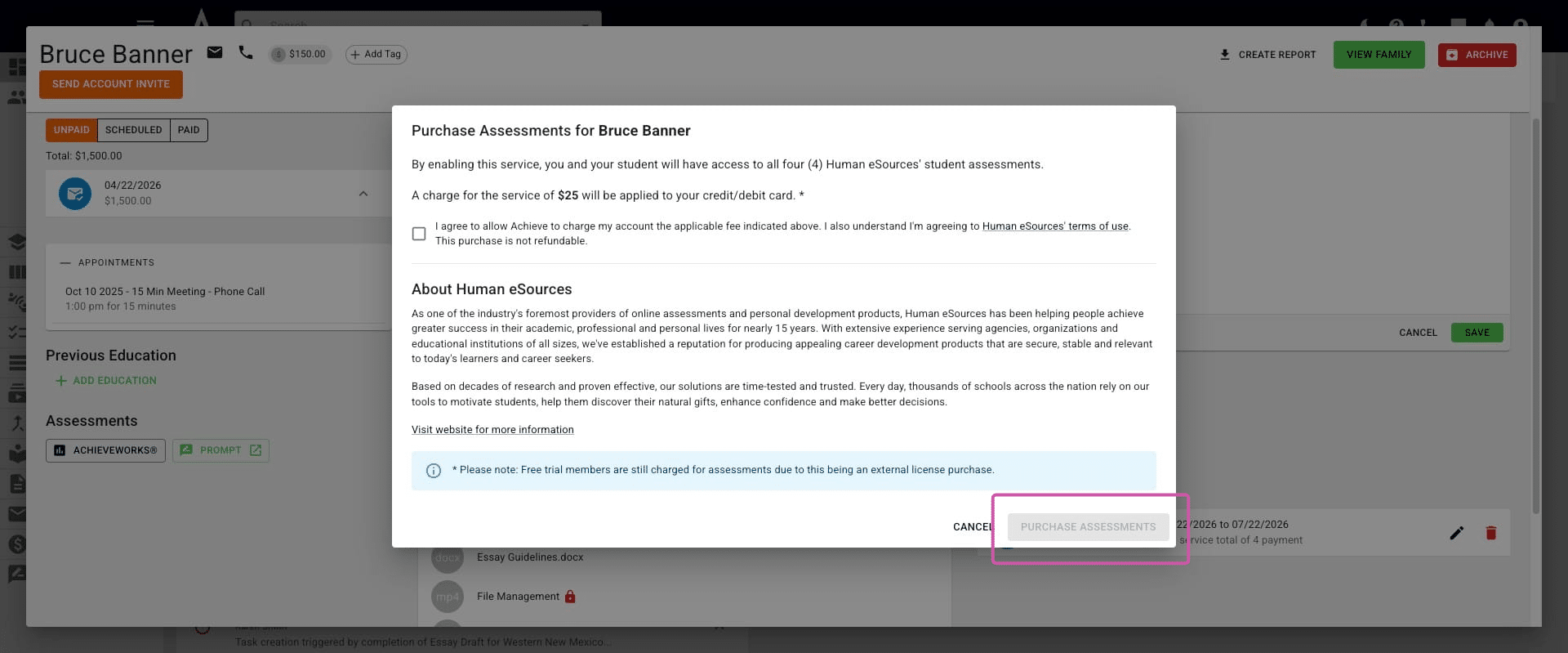
Click on I agree to allow Achieve to charge my account..." and then select Purchase Assessments.
You'll then be able to assign one or multiple assessments for this student to complete. They will receive an Achieve notification.
Once your student has completed the assessments, you will receive a notification in Achieve & can view their results by pressing the AchieveWorks button in the student's profile again.
Done 🚀