Creating a New Student From a Pre-Existing Sibling
This guide explains how to create a new student record that is linked as a sibling to an existing family.
May 05, 2026●
1
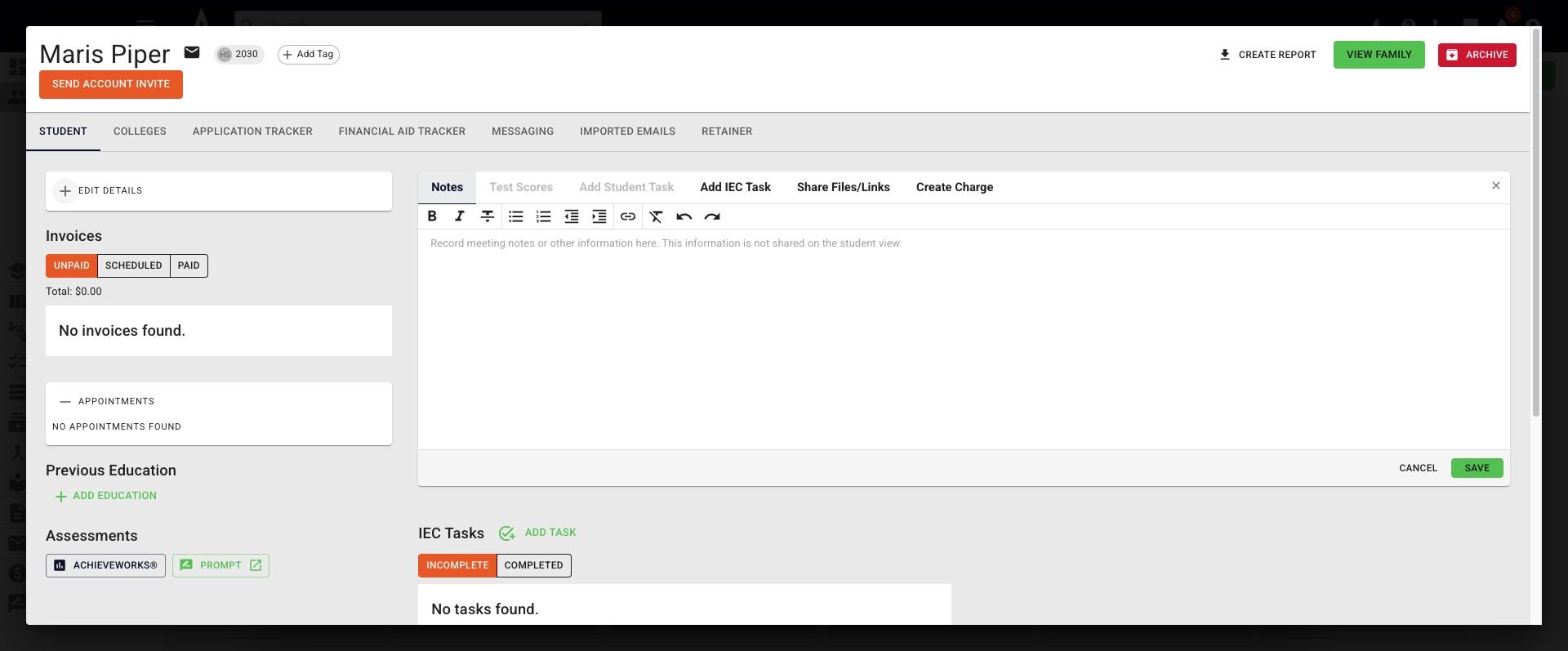
Begin by opening up the Family Profile in Achieve.
2
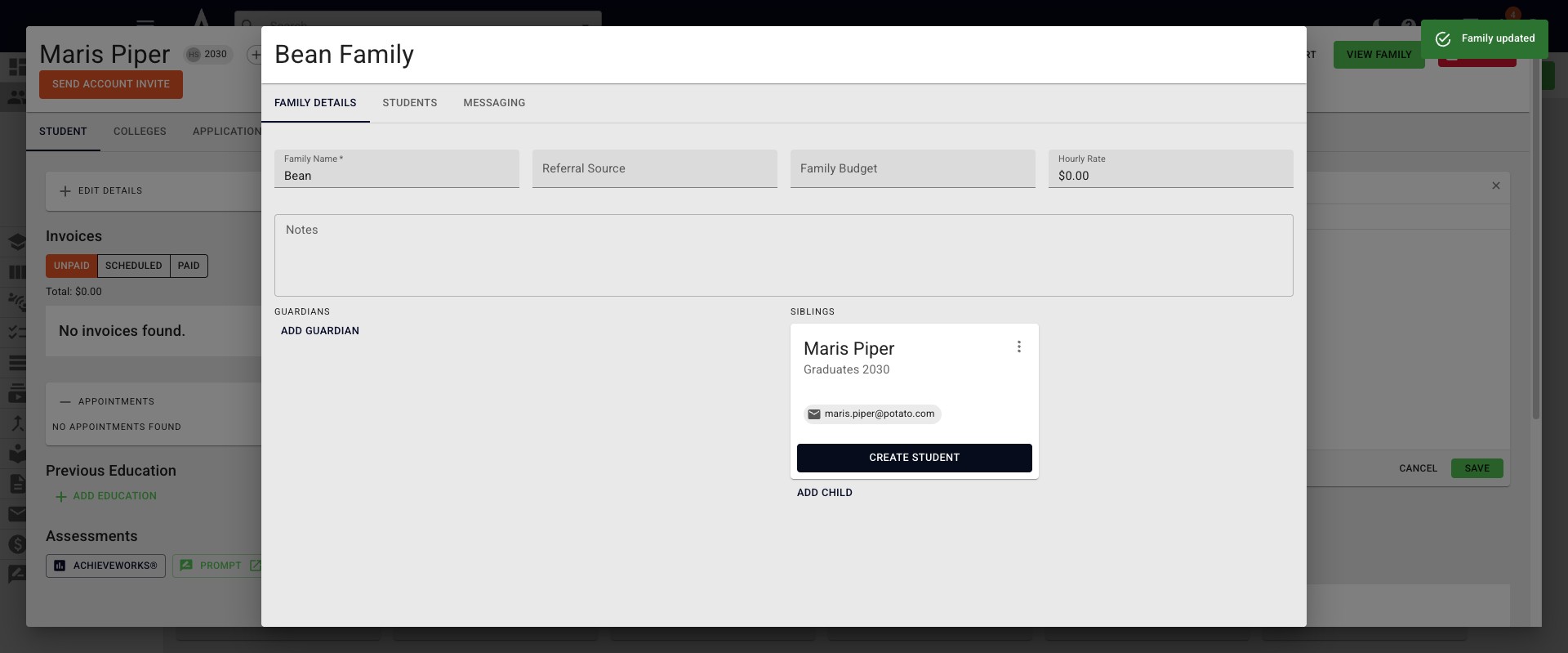
Click on Create Student under the applicable sibling.
3
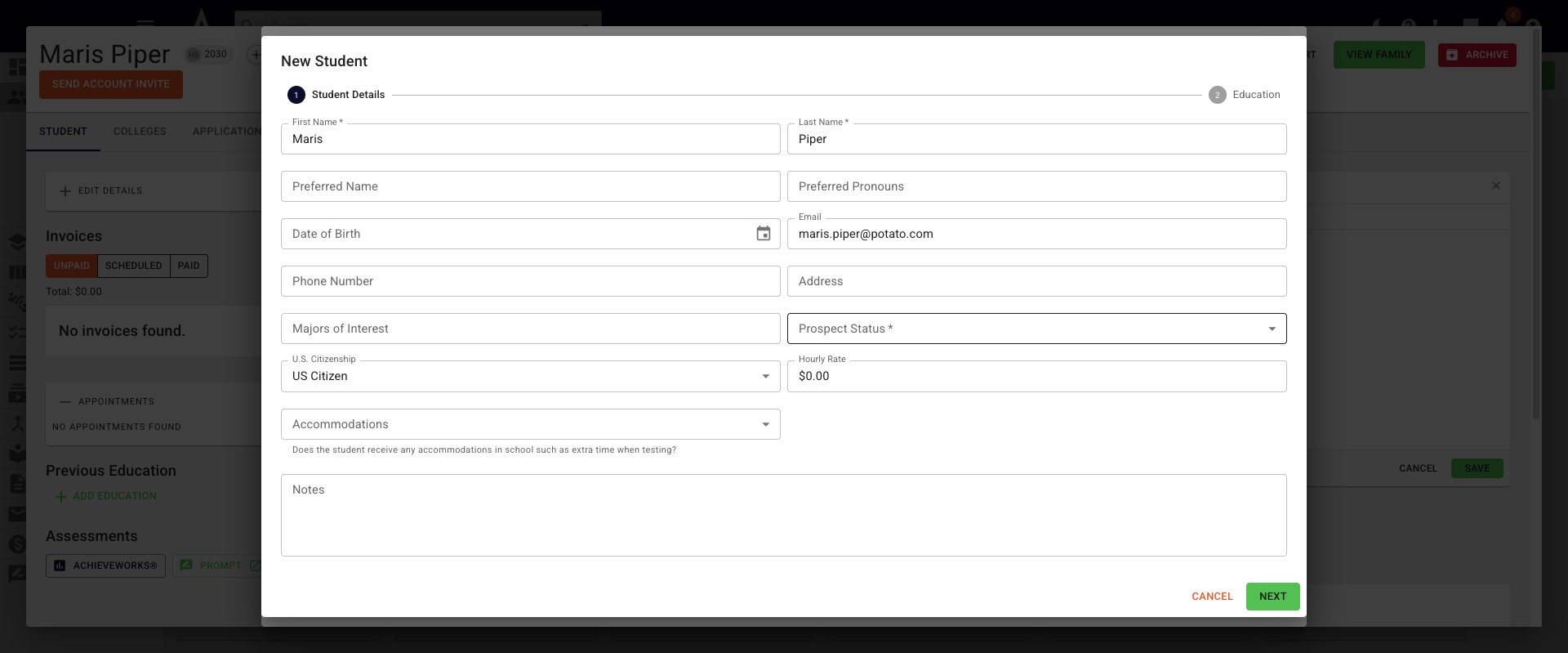
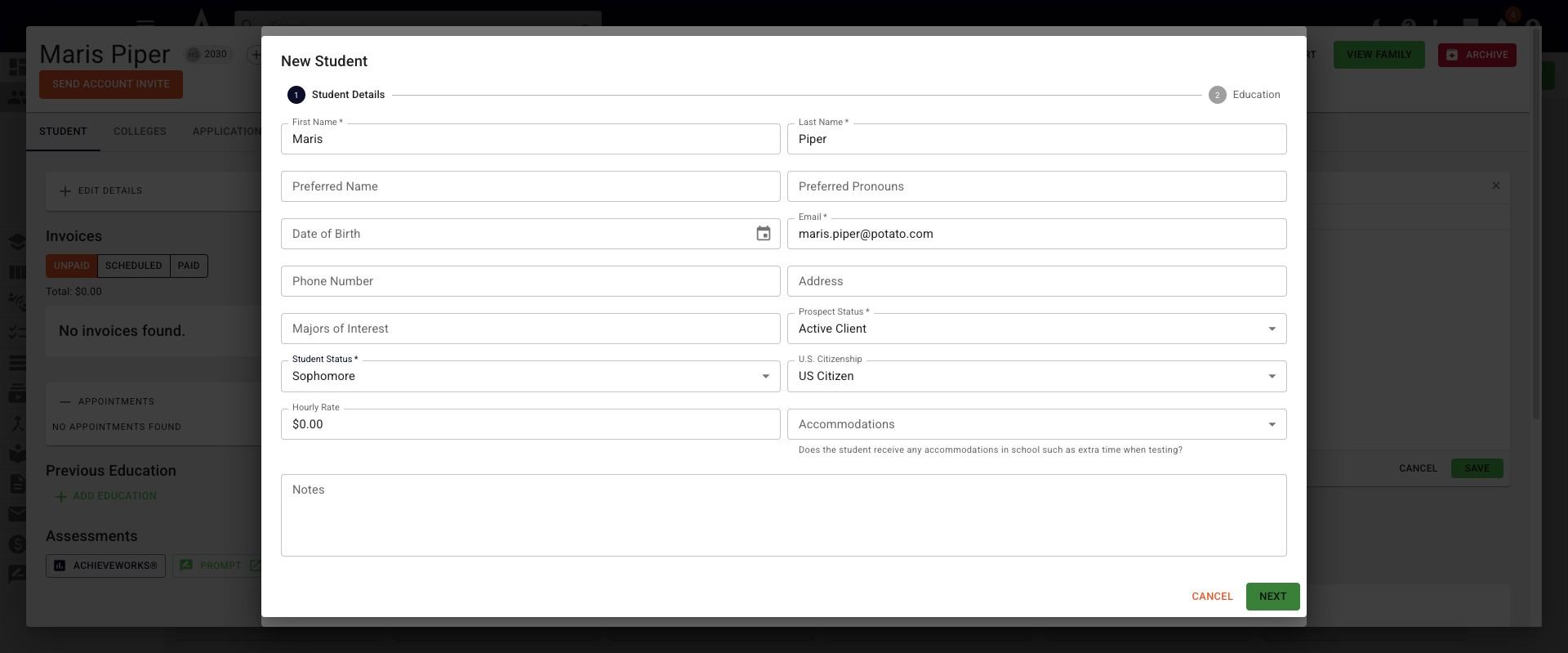
The New Student pop-up will appear. The first section is for Student Details, where you will fill in any applicable information. If a field is required it's indicated with an asterik.
4
Once you're done, click Next.
5
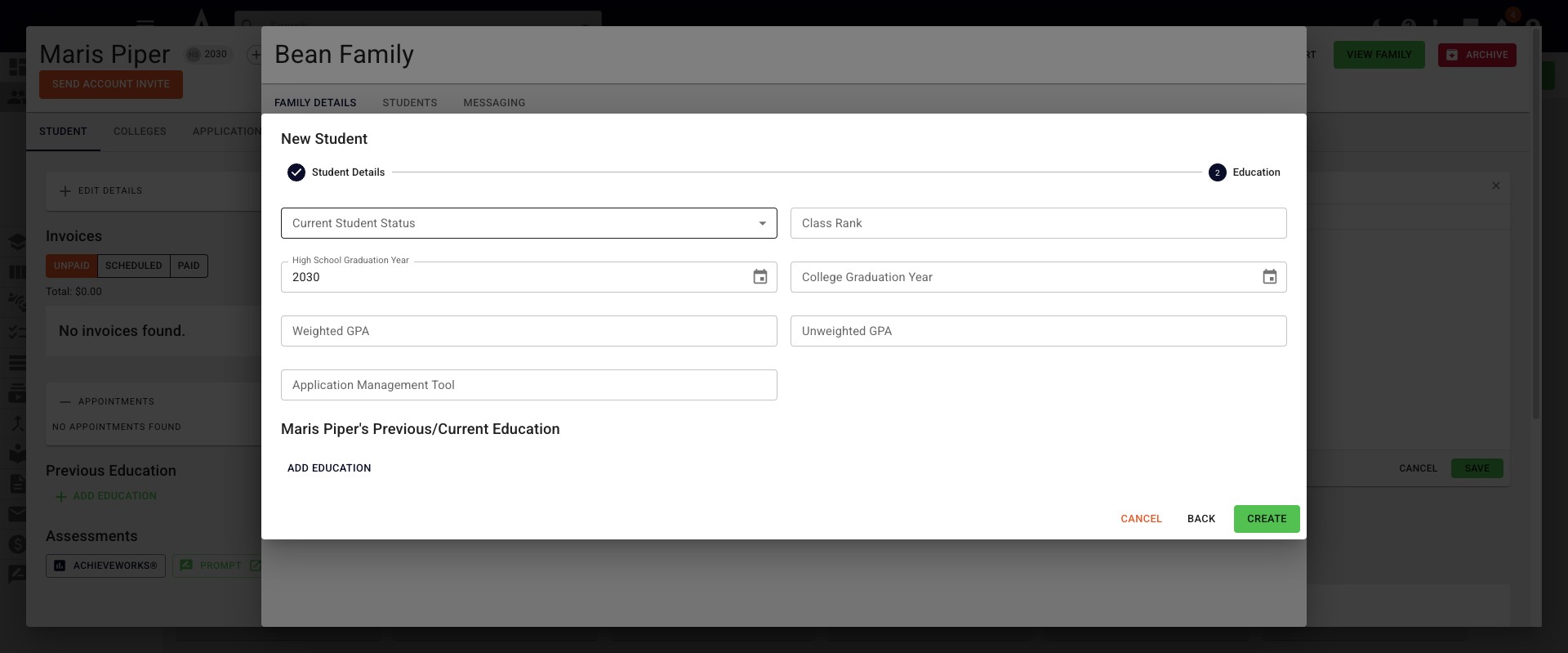
Add any information you may have to the Education page and then click Create.
6
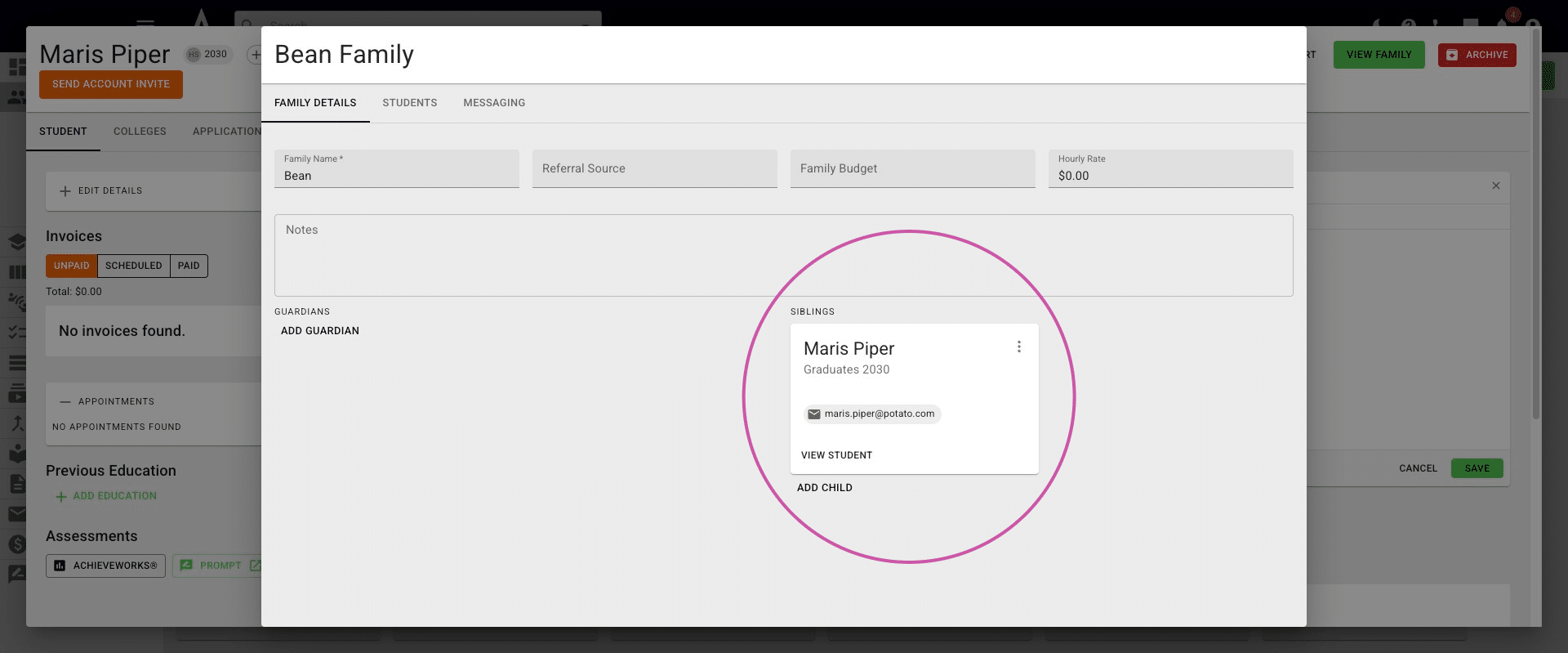
You can now click on View Student, search the sibling's name in the search bar, or find them in the applicable Student Pipeline column to view their profile.
7
Done 🚀