
Setting Up Student Push Notifications
A concise guide for students on enabling push notifications in Achieve.
Jul 14, 2026●
1
Navigate to https://student.achieveiec.com/
2
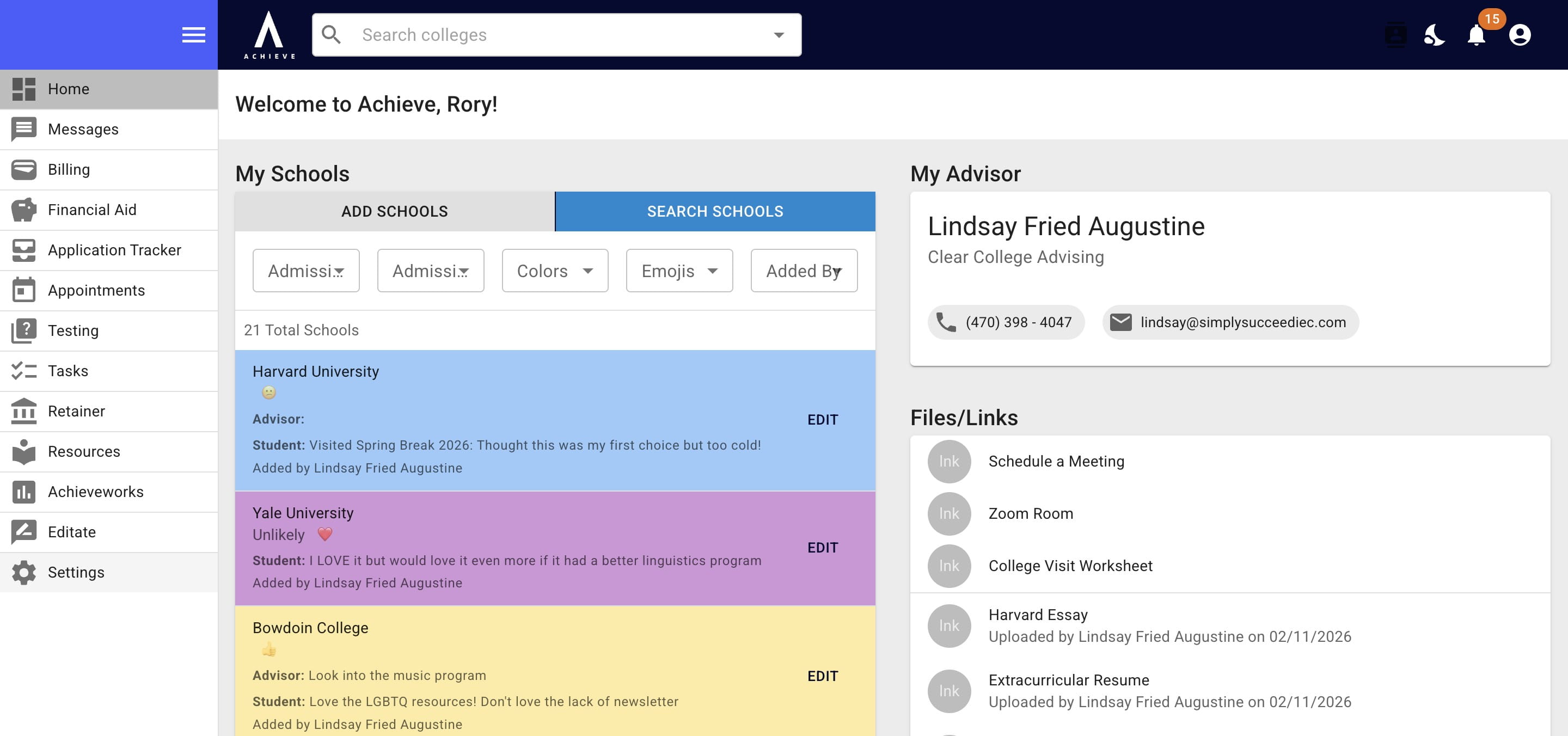
Click on Settings
3
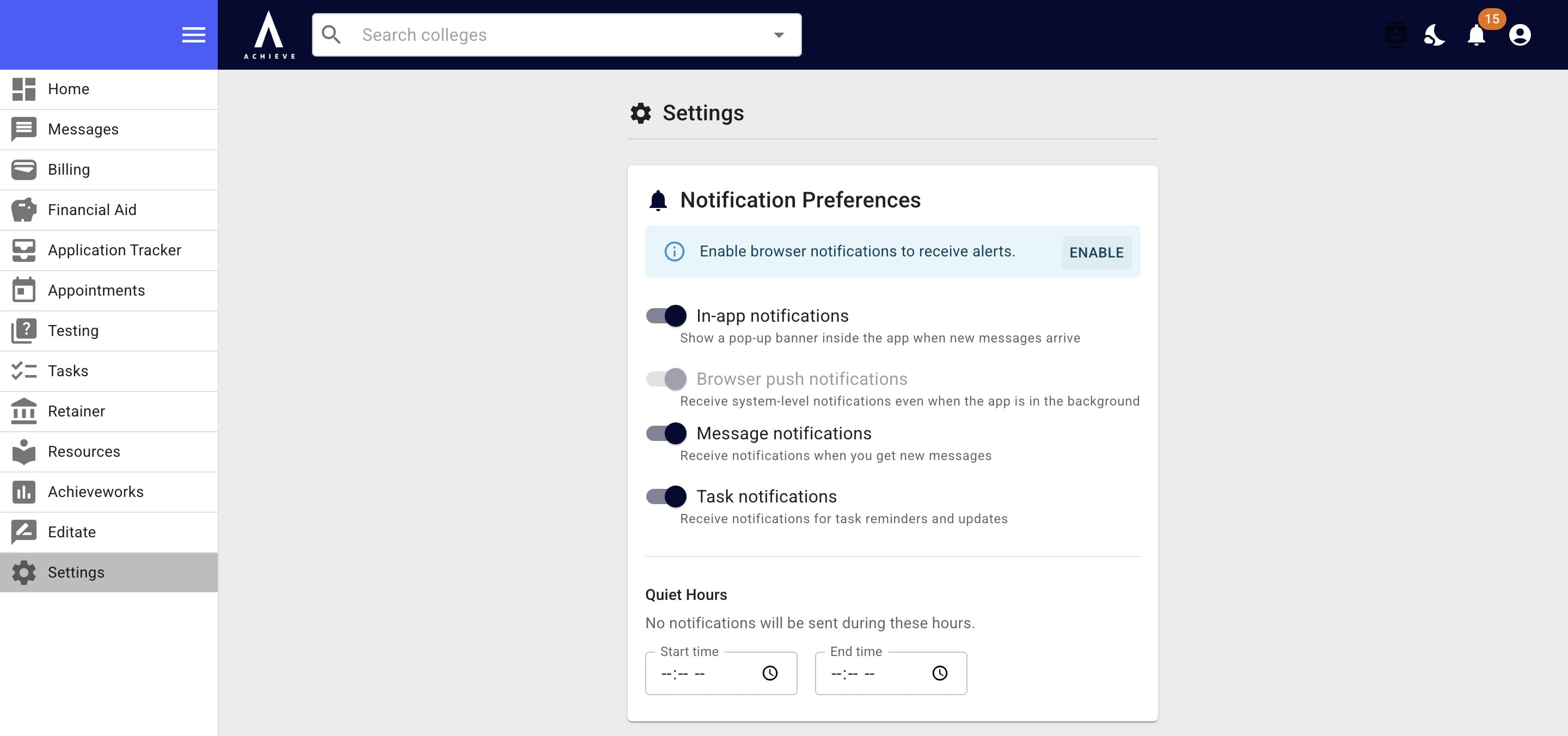
Click on Enable
4
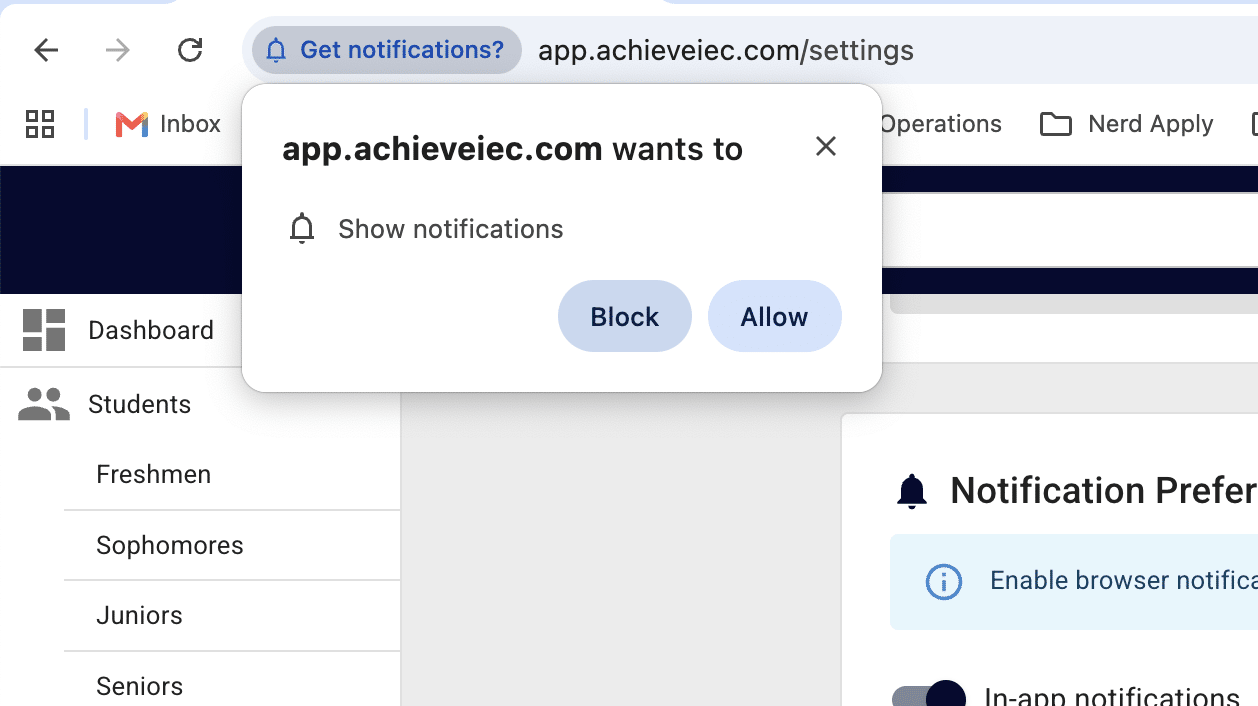
Your browser will ask you to confirm your request for notifications. Click Allow to continue.
Get notifications on your phone too by downloading our app & following the same instructions. See how to add Achieve to your phone here.
5
Done 🚀
Frequently Asked Questions
- What are push notifications?
Notifications that appear on the lock screen & communication center for phones and/or computers, even when the app is not actively open.