
June 2026 Pipeline Updates
Jun 02, 2026●
1
Navigate to https://app.achieveiec.com/student-pipeline
2
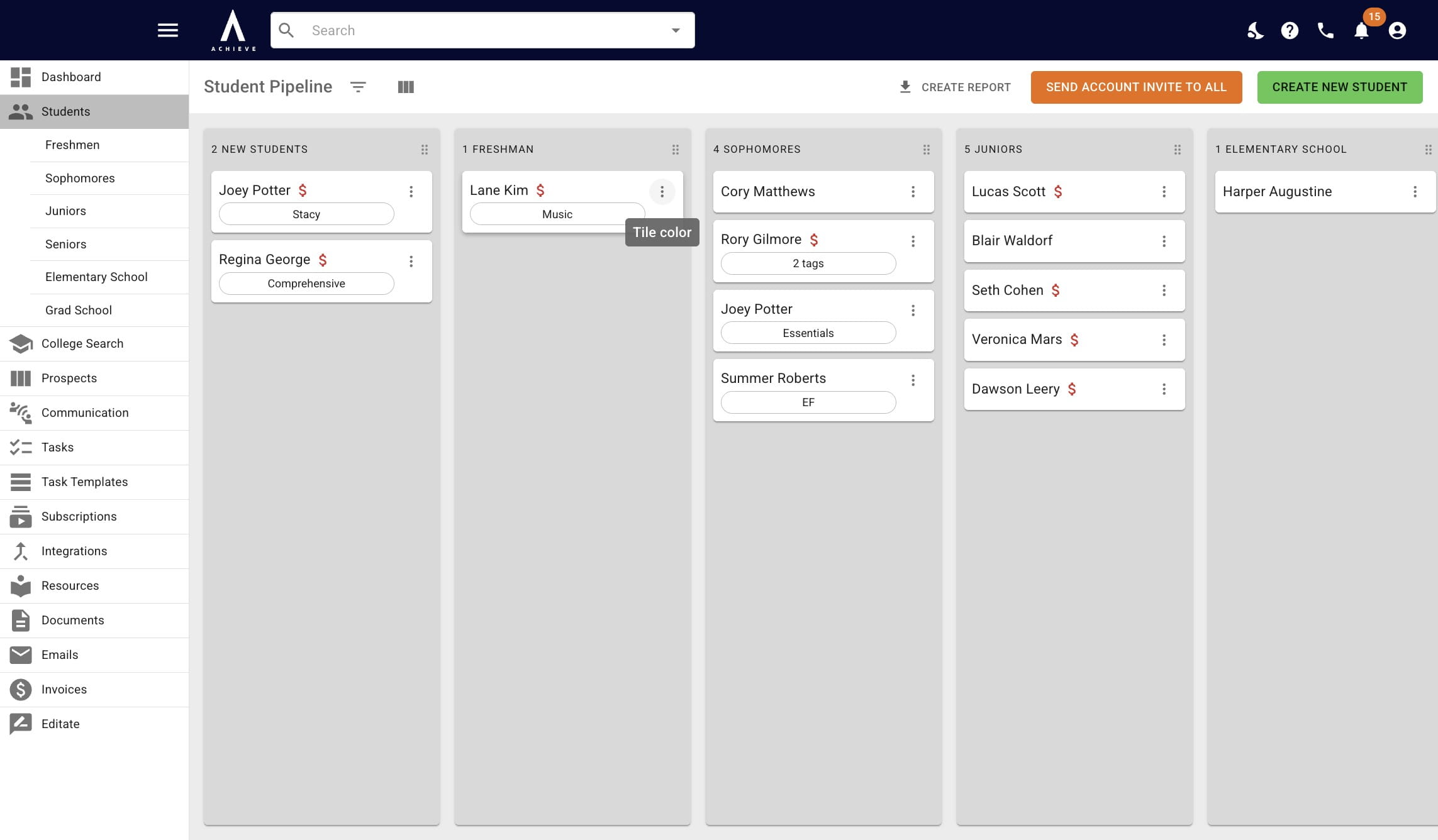
Click on the 3 dots to the right of a student's name
3
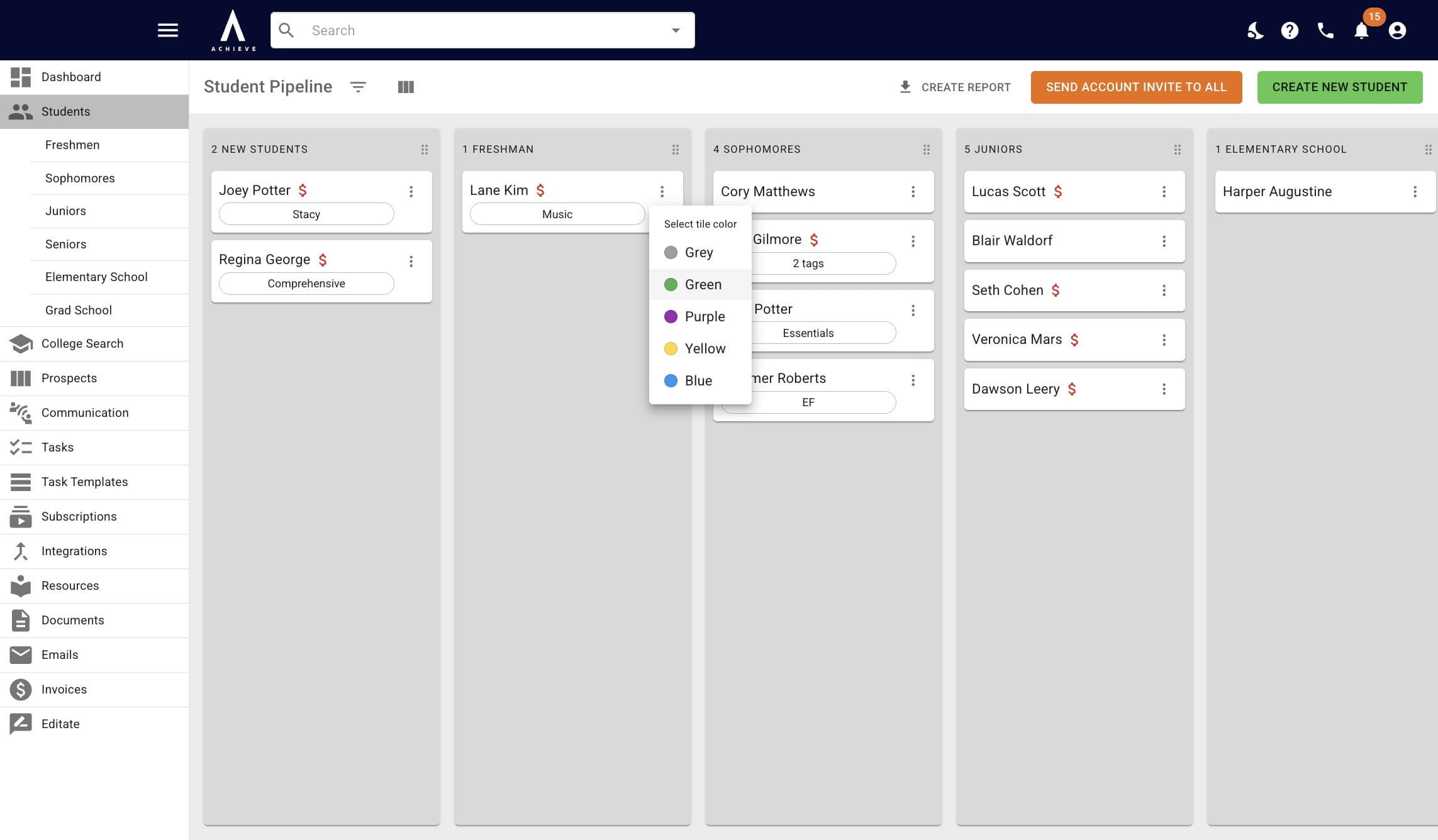
Choose a tile color from the drop down options
4
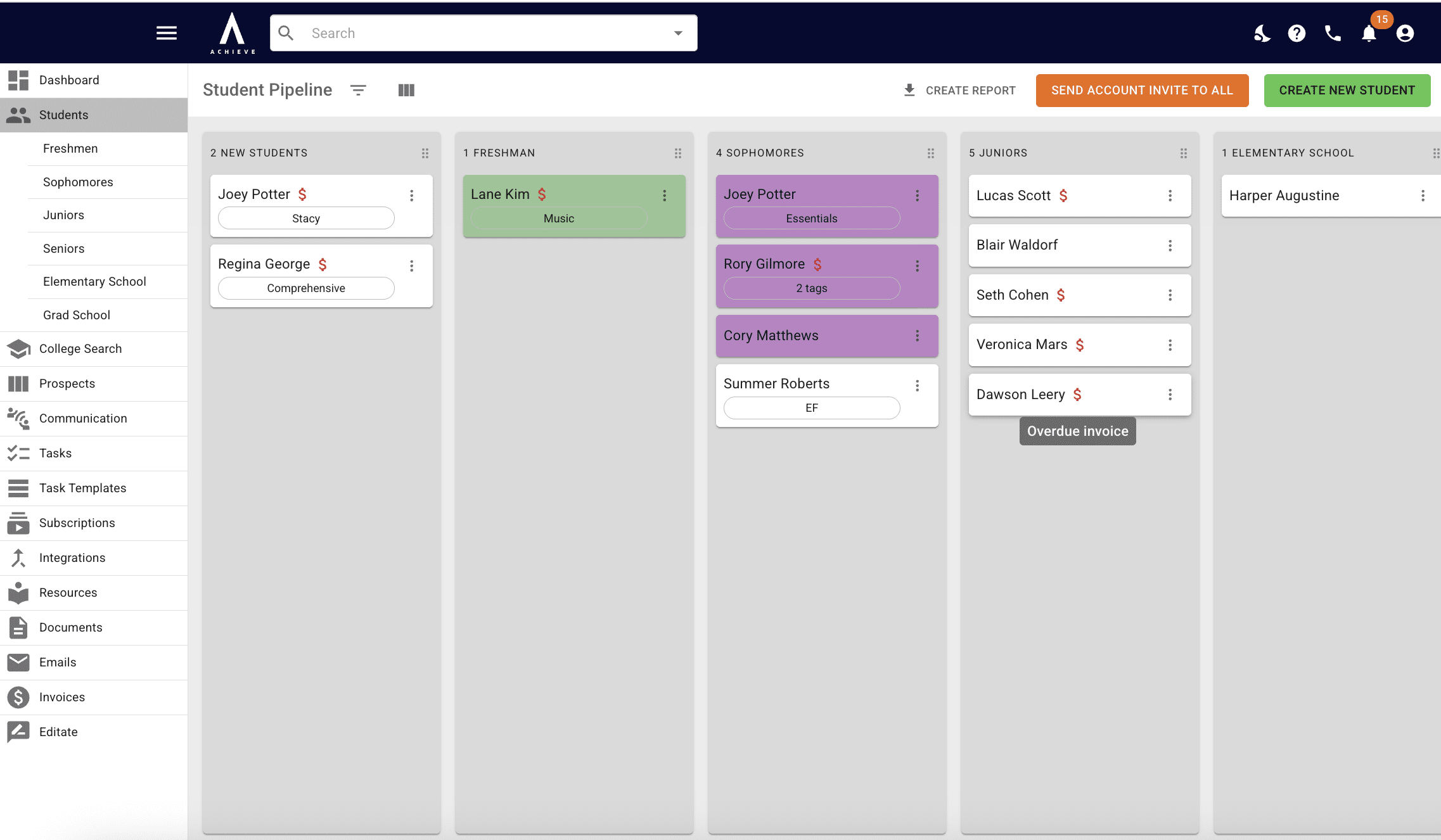
The red $ icon indicates that the student has an overdue invoice
5
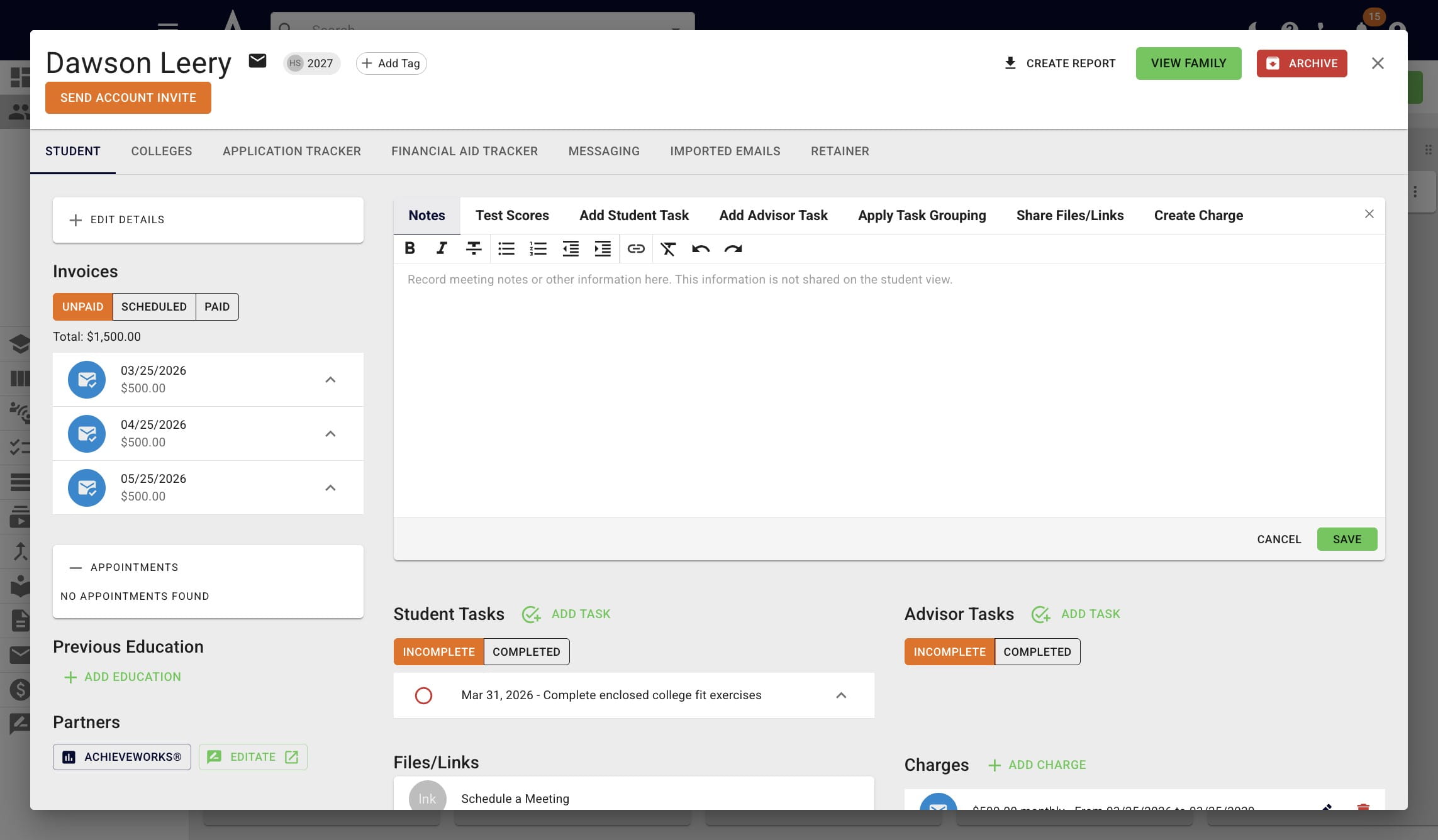
Click on the student's name to view the overdue invoice(s)
6
Done 🚀