
Setting Up Advisor Push Notifications
Learn how to enable Achieve push notifications, customize your notification preferences, set quiet hours, and ensure you receive alerts on both your browser and mobile device.
Navigate to https://app.achieveiec.com/settings
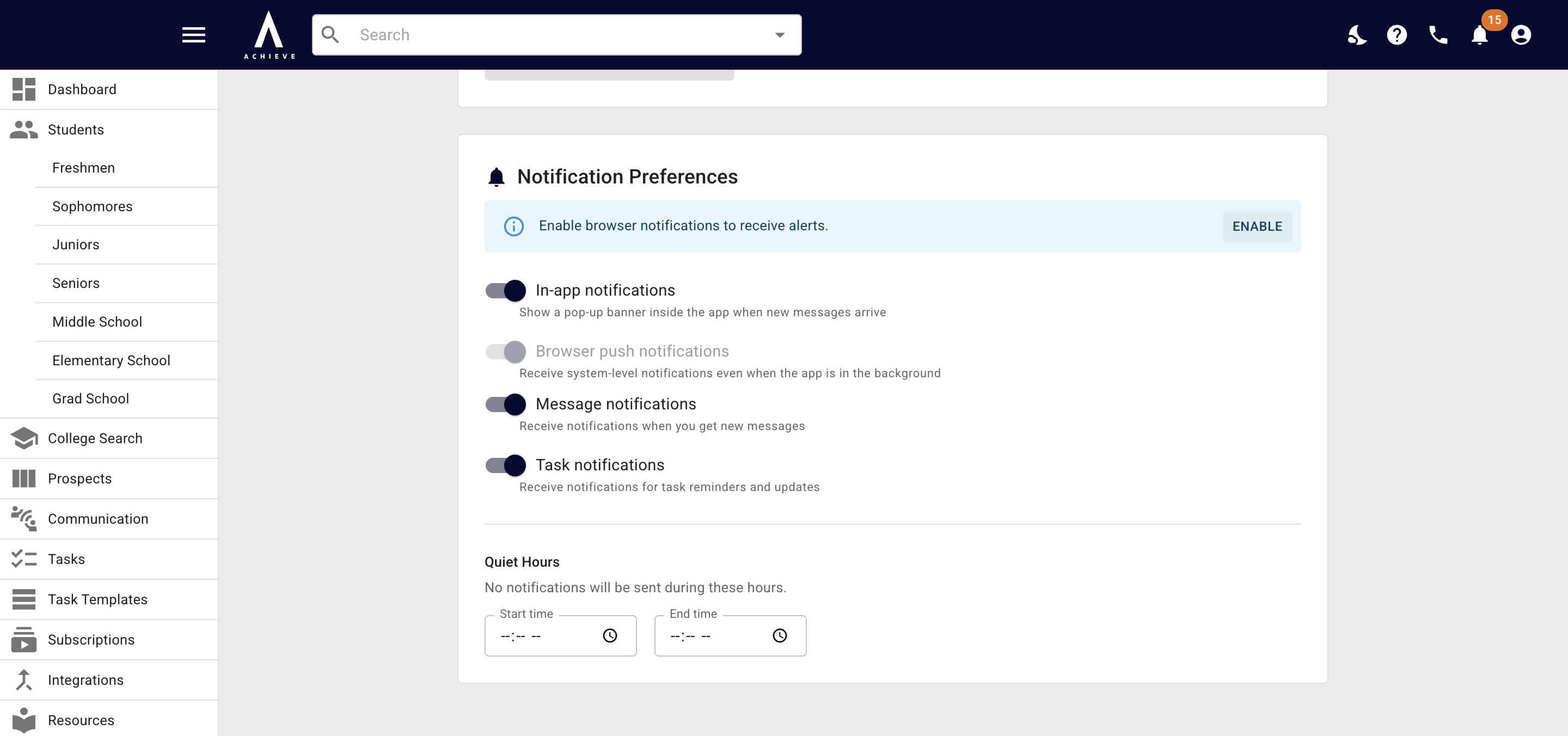
Click on Enable
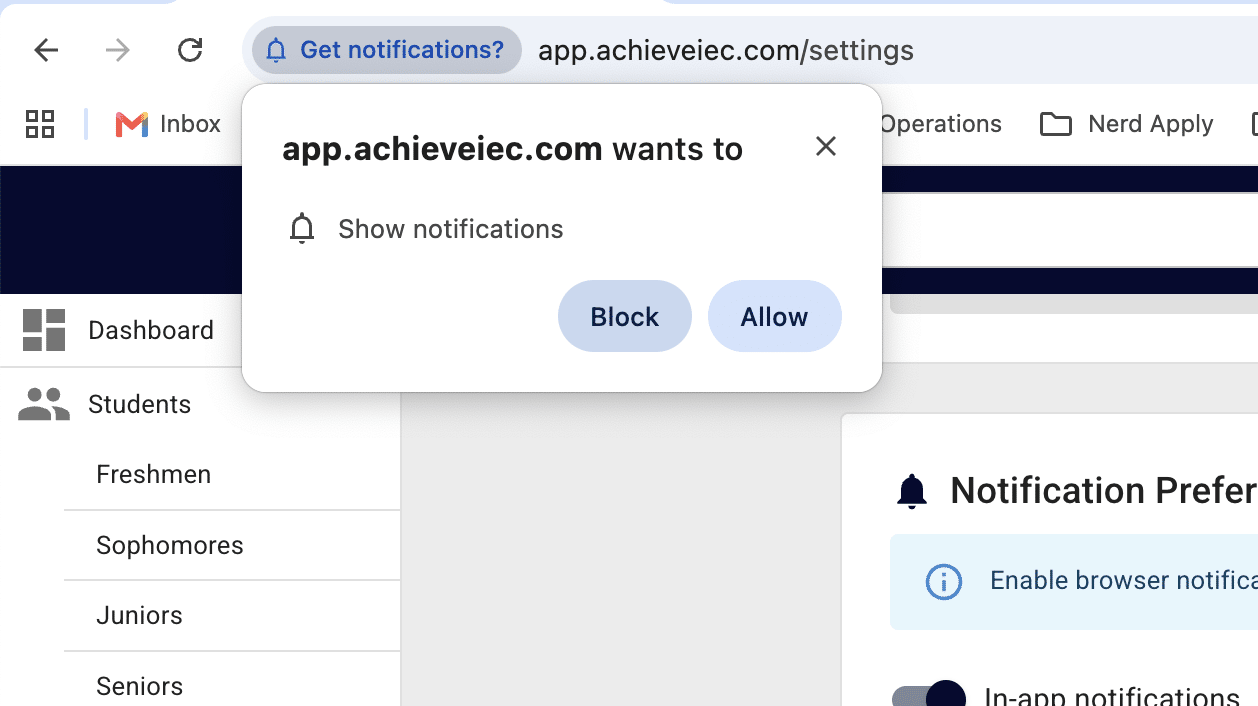
Your browser will ask you to confirm your request for notifications. Click Allow to continue.
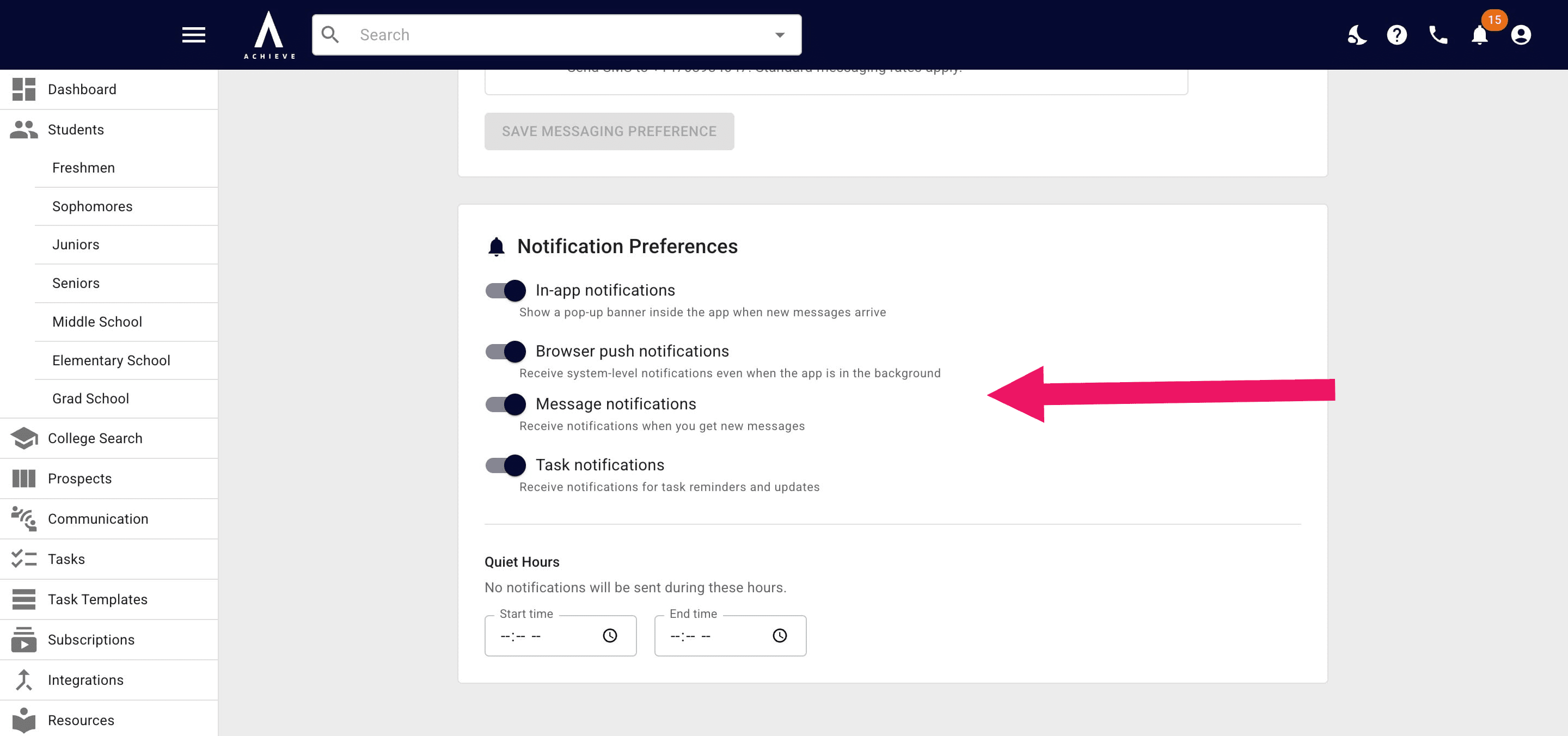
Change your notification preferences as needed
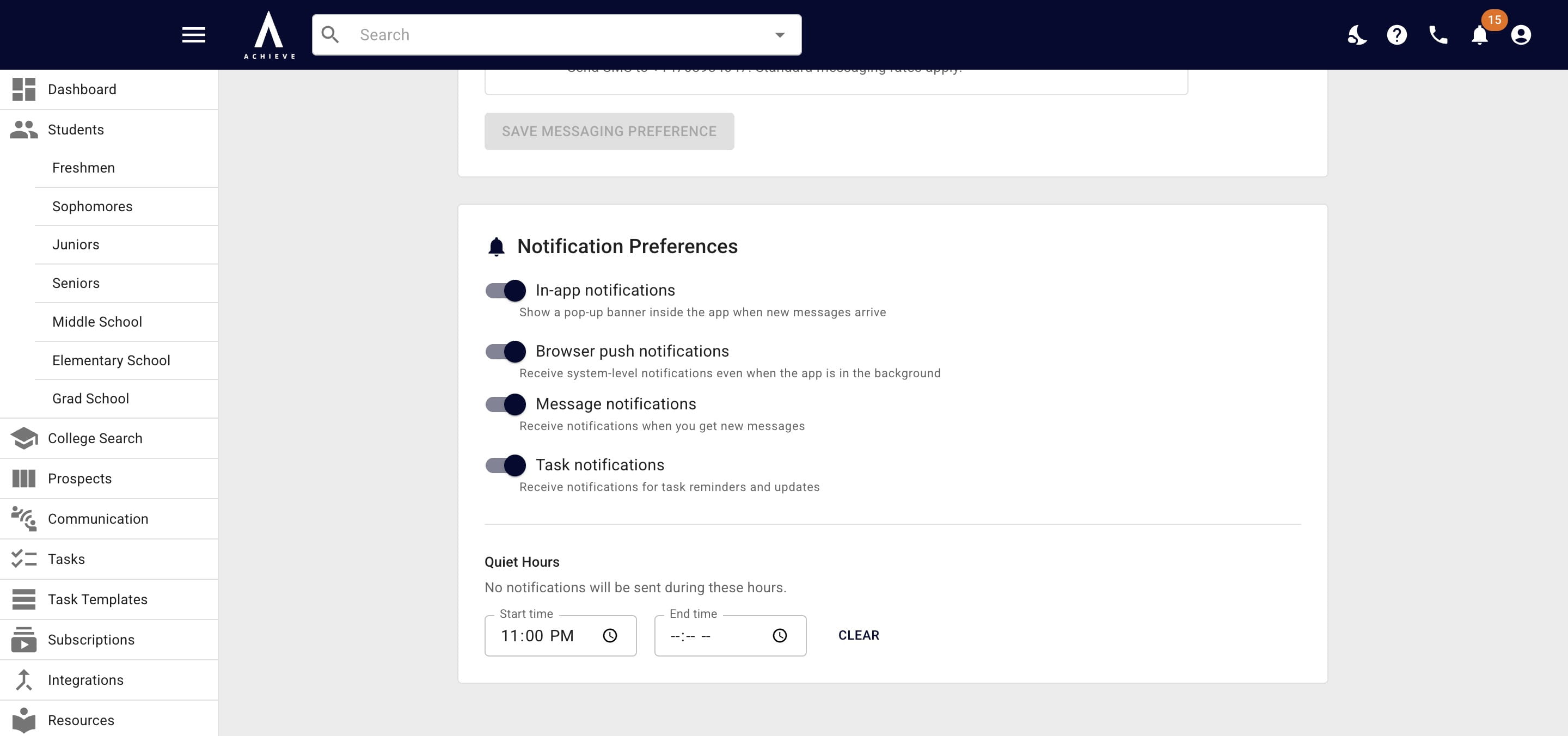
Add times as needed for quiet hours. During quiet hours notifications will show up as normal in Achieve, via email, etc. but the push notifications won't go out.
Get notifications on your phone too by downloading our app & following the same instructions. See how to get Achieve on your phone here.
Done 🚀
Frequently asked questions
- What are push notifications?
Notifications that appear on the lock screen & communication center for phones and/or computers, even when the app is not actively open.